
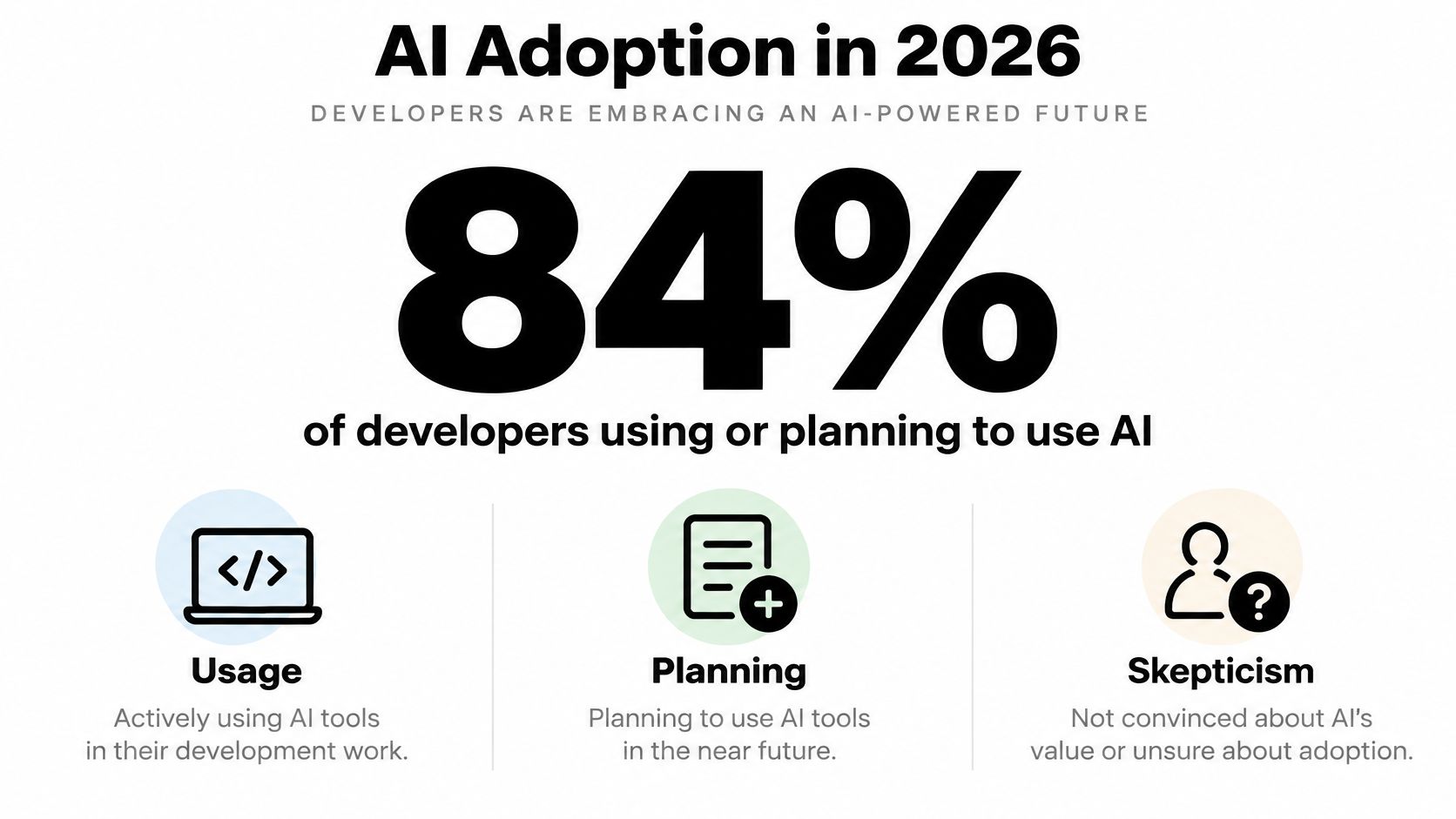
AI for software engineers now means governing tools that 84% of developers use or plan to use, even though only 29% trust their output to be accurate. That gap is the job. Picking a model takes an afternoon. Deciding what evidence is enough to merge its code, what it costs per accepted change, and what happens when a provider throttles you at 2 a.m. takes an actual engineering practice, and teams are building that practice in production, under deadline, with tooling they adopted informally.
Table of Contents
- Where AI for Software Engineers Actually Stands in 2026
- The Mental Model Every Engineer Needs Before Picking a Tool
- The Three Layers of the AI Engineering Stack
- Integration Patterns and Code Examples That Actually Ship
- Why AI Productivity Numbers Should Be Taken With Salt
- A Risk-Tiered Workflow for Validating AI-Generated Code
- Platform Choices That Make Multi-Model AI Operable
- What to Ship This Quarter and How to Measure It
Where AI for Software Engineers Actually Stands in 2026
Adoption stopped being an experiment a while ago. Daily use is now routine for a large share of professionals, and the work spans far more than autocomplete. In Stack Overflow's 2025 Developer Survey results, 51% of professional developers said they used AI tools daily, and reported usage rose from 44% in 2023 to 62% in 2024 and 79% in 2025.
Where that usage lands matters for how you staff and instrument it. The 2024 results in the same survey series showed 82% of AI users applying it to writing code, 68% to research, 57% to debugging, and 40% to documentation. That's problem discovery, implementation, troubleshooting, and knowledge sharing, not a single editor feature you can evaluate in isolation.
Why the trust gap changes the decision
When nearly half your team uses a tool daily and doesn't trust it, you don't have a procurement problem. You have a verification problem. Every generated function arrives as a proposal that someone, or some automated gate, has to check for correctness, security, and fit with your architecture. If that checking is ad hoc, your senior engineers become the gate, and they become the bottleneck.
Code generation got cheap. Code verification didn't, and pretending otherwise just moves the cost into review queues and incident channels.
The practical shift is treating AI access like any other production dependency. Model choice, reliability, cost tracking, and integration compatibility now affect ordinary engineering work every day. Teams that planned those decisions early can swap models or tighten review rules without drama. Teams that let usage spread through personal accounts and browser tabs can't even answer basic questions, like which model produced a given change or what a feature cost to generate.
Map your own usage before you buy anything else. If most of your pain is debugging unfamiliar code, an in-editor completer won't fix it. If documentation lags because nobody writes it, generation helps only if someone verifies it. AI for Software Engineers is a portfolio of use cases with different risk profiles, and the sections that follow treat it that way.
The Mental Model Every Engineer Needs Before Picking a Tool
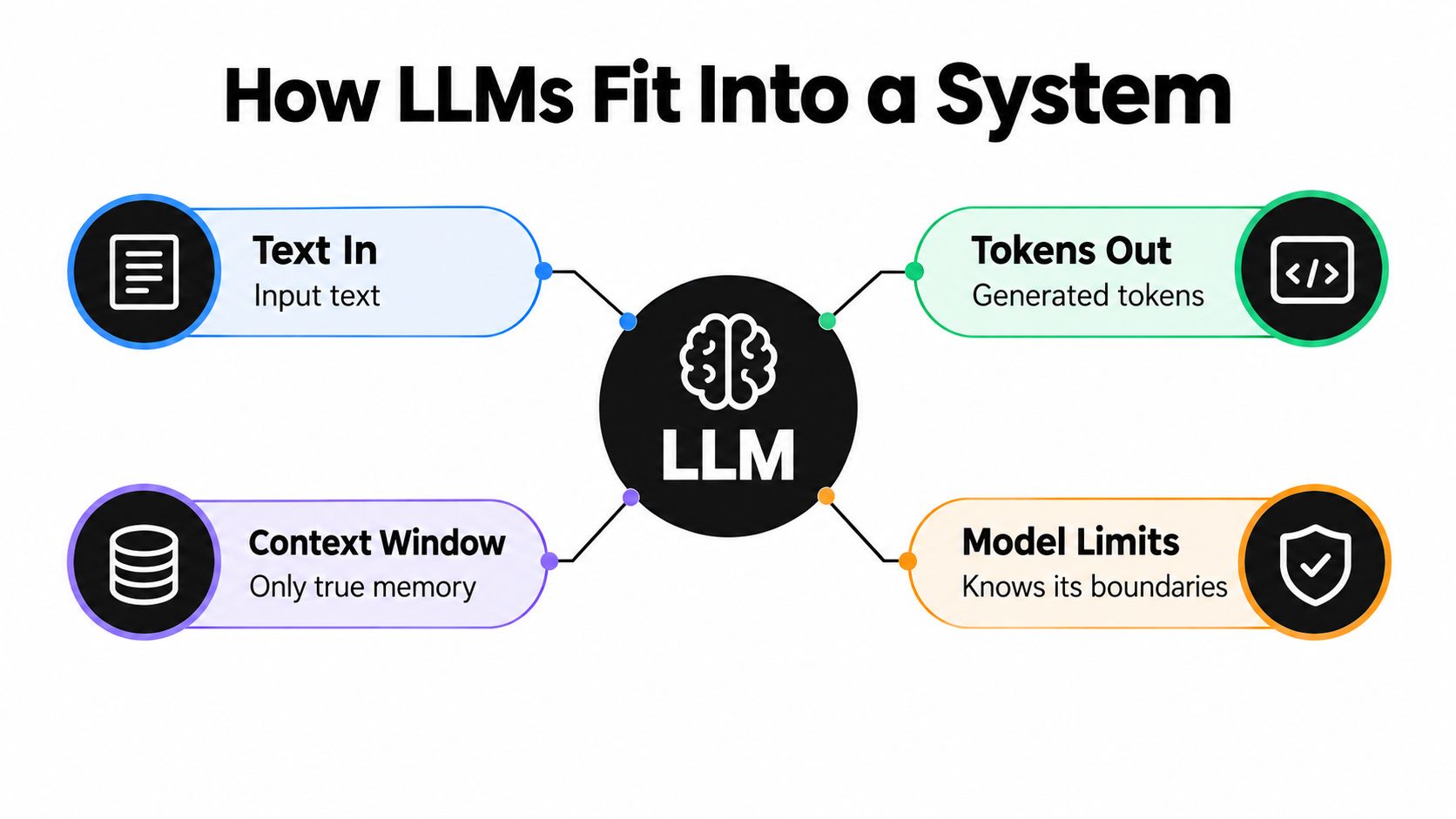
An LLM inside your stack is a non-deterministic function call. Text goes in, tokens come out, and the same input can produce different outputs on different calls. It isn't a teammate with memory of last sprint. It knows only what fits in its context window on this request, plus patterns absorbed during training that may be stale, wrong, or from a different version of your framework.
That single fact explains most failures I've seen in rollouts. Engineers paste an error message without the surrounding code and blame the model for guessing. Or they dump an entire repository into context, pay for tokens the model barely uses, and still get a patch that ignores a constraint buried in a file it never needed.
A spectrum, not a single capability
AI coding covers a range of systems with very different cost and failure profiles:
- Autocomplete predicts the next chunk in the file you're editing, with tiny latency budgets and narrow context.
- Chat assistance answers questions and drafts snippets you copy in manually, so you're the integration layer.
- Agents read files, run tools, edit multiple files, and iterate against test output, which multiplies both capability and blast radius.
SWE-bench shows what the hard end of that spectrum demands. The benchmark hands an agent a real repository and an issue, then checks whether the patch resolves it, which requires codebase comprehension and test interpretation across files. On SWE-bench Verified as described by OpenAI, GPT-4o resolved 33.2% of samples. Syntactically plausible code that fails the tests scores zero, and your internal bar should work the same way.
Hold this vocabulary steady when vendors demo. Ask what's in context, what tools the system can call, what it costs per task in input, output, and reasoning tokens, and what evidence proves the output works. If a tool can't answer those questions, you're buying a demo, not a system.
The Three Layers of the AI Engineering Stack
Teams waste weeks comparing tools that don't compete. Copilot, a chat window, and an API gateway solve different problems, and mature teams usually run all three layers at once, each with its own budget and owner.
Comparing AI Engineering Tools by Layer
| Layer | Best for | Pricing model | Integration point |
|---|---|---|---|
| In-editor assistants | Boilerplate, tests, small refactors in flow | Per-seat subscription | IDE extension |
| Chat and agent tools | Multi-file changes, exploration, debugging sessions | Per-seat or usage-based tiers | Terminal, browser, repo connection |
| API and gateway layer | AI features inside your own product | Per-token, including reasoning tokens | Your backend services |
In-editor assistants like Copilot, Cursor, and Codeium win on friction. They're already where the code is, they see the open file, and accepting a suggestion costs a keystroke. Their limit is scope. They can't run your test suite, check a deployment, or reason across a service boundary unless the surrounding product adds that machinery, and their per-seat pricing hides which tasks earn their keep.
Chat and agent tools such as Claude Code, ChatGPT, and the Gemini app handle bigger units of work. You can hand them an issue, a stack trace, or a half-formed design and iterate. The trade-off is supervision. An agent that edits twelve files while you make coffee can also rename something it shouldn't, and reviewing that diff carefully can take longer than writing a smaller change yourself.
The API layer is different in kind. Here you build AI into your own product, calling models from OpenAI, Anthropic, Google, or through an aggregator, and where per-token billing replaces seat licenses. Costs scale with your users, not your headcount, and reasoning tokens can dominate a bill if you don't meter them separately.
Practical rule: Buy layer one for developer convenience, layer two for task scope, and layer three only when you're shipping a feature your customers touch.
Confusing these layers produces bad decisions in both directions. Engineers reject a fine assistant because it can't do agentic refactors it was never built for. Platform teams standardize on one provider's API because developers liked its chat app, then discover the rate limits and invoice structure don't fit production traffic.
Integration Patterns and Code Examples That Actually Ship
Most production integrations reduce to three patterns. Get these right and model swaps become configuration changes. Get them wrong and every provider experiment turns into a rewrite.
Pattern one, the basic chat completion
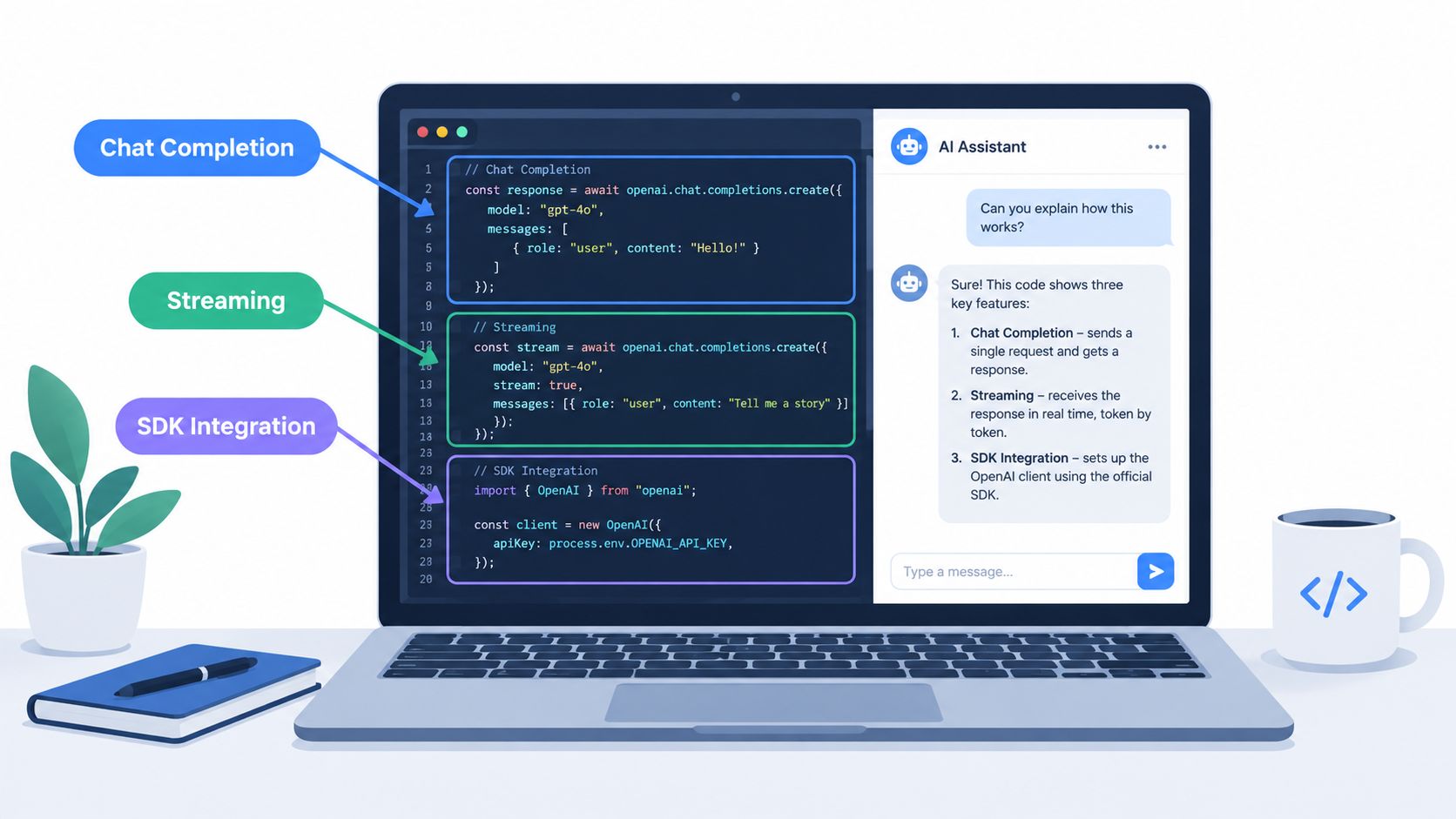
The reference shape is the OpenAI Chat Completions interface, because teams already have code written against it. A request carries a model field, a messages array with system and user roles, and parameters like temperature. With a compatible gateway, you keep your existing SDK and change only the base URL and API key. The model value becomes a provider-prefixed slug, so switching providers means editing a string, not your request builder. Check the SDK documentation and quickstart examples for the curl, Python, and Node variants of this shape before you hand-roll anything.
Keep the system prompt in version control, not in a database field someone edits on a Friday. Prompt changes are behavior changes, and you'll want diffs when output quality shifts.
Pattern two, tool calling against your own systems
Function calling lets the model request structured actions, like looking up an order or searching internal docs, instead of inventing answers. You declare each tool with a name, description, and JSON schema for its arguments. The model returns a tool call, your code executes it, and you send the result back for a final answer.
Two rules keep this safe. Validate every argument server-side as if it came from an untrusted client, because it effectively did. And give tools the narrowest permissions that work, since a model that can read everything will eventually be talked into reading the wrong thing.
Pattern three, streaming for anything user-facing
Nobody waits for a long generation. Set stream to true and forward tokens as they arrive, whether the surface is a chat UI or an editor. Track time to first token separately from total latency, because users judge responsiveness on the first and your infrastructure bill reflects the second.
All three patterns share one operational requirement. Log the model, provider, token counts, and cost on every call from day one. Retrofitting that telemetry after finance asks questions is miserable work.
Why AI Productivity Numbers Should Be Taken With Salt
Vendor decks love a single percentage. The actual evidence says the effect depends heavily on the task, the codebase, and who's doing the work, which is less quotable and much more useful.
A controlled experiment on a narrowly defined JavaScript task found developers finished 55.8% faster with Copilot, and pooled workplace experiments covering 4,867 developers reported a 26.08% increase in completed tasks, both summarized in a review of AI coding assistant productivity evidence. The same review describes a randomized METR trial where experienced open-source developers working in their own mature repositories were about 19% slower with AI access, despite expecting to be faster.
This is not a contradiction
Well-scoped, locally understandable tasks are where generation shines. The correct answer is short, validation is immediate, and the model has seen thousands of similar examples. Boilerplate, test scaffolding, format conversions, and first drafts of documentation all fit.
Repository navigation and integration work are different. The model doesn't know why your payment service retries the way it does, and its plausible patch can violate an invariant that lives in a comment three services away. You then pay twice, once to read the generated code closely enough to spot the problem, and again to fix it. Experienced developers in familiar codebases feel this most, because their unaided speed was never limited by typing.
If your measurement can't distinguish a greenfield CRUD endpoint from a change to a ten-year-old billing path, your measurement is decoration.
Measure by task class instead
- Cycle time from ticket start to merge, split by change type.
- Accepted-change rate, meaning generated code that survives review without major rework.
- Test failure and rework rates on AI-assisted pull requests versus human-authored baselines.
- Review duration, because generation that doubles review load isn't free speed.
Lines of code and developer sentiment both mislead. People consistently feel faster while generating more text, even when the clock disagrees, and volume metrics reward exactly the verbose output that's hardest to maintain. Instrument the work, not the vibe.
A Risk-Tiered Workflow for Validating AI-Generated Code
The honest cost of AI assistance shows up in debugging. In Stack Overflow's 2025 Developer Survey press summary, 45% of developers named code that's almost right as a major frustration, 46% actively distrusted output accuracy compared with 33% who trusted it, and 61.3% said they want to fully understand code before relying on it. A tiered workflow converts that distrust into specific gates instead of uniform suspicion.
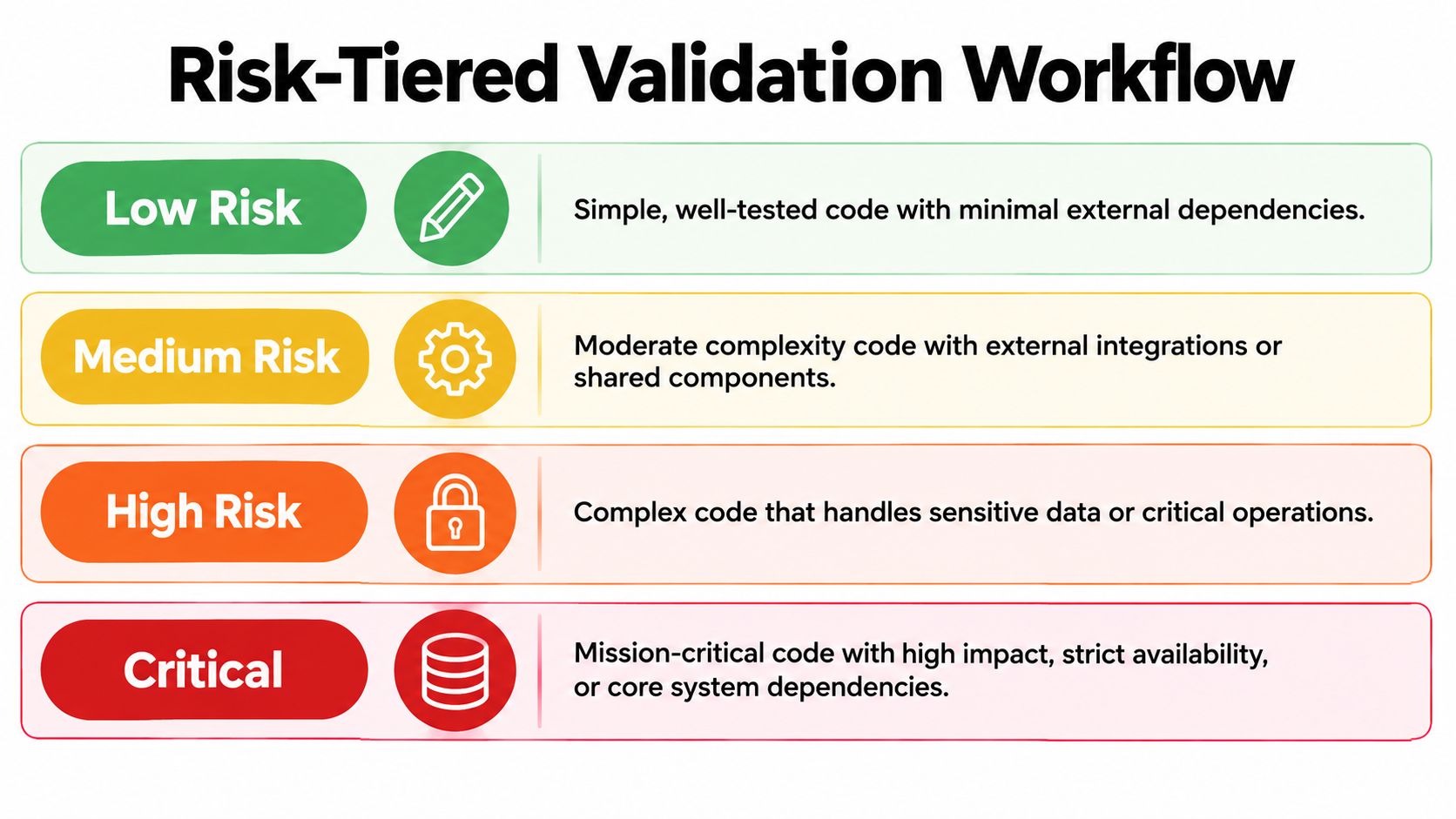
The four tiers
- Low risk: UI copy, styling tweaks, test data, internal scripts. Require generated or updated tests plus static analysis in CI. Fast human skim.
- Medium risk: Business logic, API handlers, data transformations. Add dependency, license, and secret scanning, plus a reviewer who didn't prompt the change.
- High risk: Authentication, authorization, data access, payments. Require threat modeling, explicit edge-case tests, and mandatory human review from a domain owner.
- Critical: Infrastructure, migrations, cryptography, anything irreversible. AI drafts, humans decide. Pair review, staged rollout, and a rollback plan before merge.
Sorting by blast radius beats sorting by who wrote the code. A human-written auth change deserves the same scrutiny as a generated one, and a generated CSS fix doesn't need a security review because a model touched it.
This short walkthrough shows how executable checks fit into a review pipeline:
Paste the tiers into your pull request template and make the author declare one. Reviewers then check that the declared tier matches the diff, which catches the common failure where a small generated change touches a sensitive path. For the organizational side of this, including how vendors handle your code and data, review the security and compliance information before you standardize on any platform.
One principle holds across every tier. Code that compiles but fails regression tests is an unaccepted proposal, not a completed task. Track patch-acceptance rates by repository and issue type, and you'll quickly learn where generation earns trust and where it doesn't.
Platform Choices That Make Multi-Model AI Operable
Single-provider dependencies feel fine until they don't. A rate limit, an outage, or a pricing change at your only upstream becomes your outage, your pricing problem, and your weekend. Platform engineers should evaluate the access layer the way they'd evaluate any other critical dependency.
What to require from the access layer
- Automatic failover across multiple upstream providers per model, with mid-flight retries on 429, 408, 5xx, and connection timeouts, and no retries on 400 or 404 responses that signal a bad request retries can't fix.
- Pooled rate limits across providers serving the same model, so one provider's throttle doesn't cap your whole product.
- Per-request metering of input, output, and reasoning tokens at published per-million rates, with billing only when a request produces tokens.
- A usage dashboard logging model, provider, latency, time to first token, and exact cost per call.
Openbase is one concrete implementation of this checklist, offering a single OpenAI-compatible endpoint with one key and consolidated billing across providers, and you can browse the available models and provider-prefixed slugs to see how that addressing works in practice.
The deeper point is observability before optimization. Without per-call records you can't compare a cheaper model against the review and rework it causes, can't spot a reasoning-token cost spike before the invoice lands, and can't prove failover happened during an incident. With those records, model selection becomes an empirical question your team can revisit monthly instead of a bet you placed during procurement.
Hand this checklist to whoever owns your infrastructure. If your current setup can't answer which provider served a slow request last Tuesday, that's your first project, ahead of any new model evaluation.
What to Ship This Quarter and How to Measure It
Roll this out in sequence, not all at once. Twelve weeks is enough if each phase has a narrow scope and an exit condition.
Weeks one to four, instrument one workflow. Pick a single use case, say test generation or a customer-facing summarization feature. Route it through one access path, turn on per-call logging, and record baseline metrics before you change anything else. One workflow with real numbers beats five pilots with opinions.
Weeks five to eight, add governance and compare. Adopt the risk tiers in your pull request template. Run controlled comparisons across two representative repositories, because results from a tidy greenfield codebase won't predict your legacy monolith. Produce your first cost-per-accepted-change report, combining token spend with review time and rework. That number, not cost per million tokens, tells you whether a model is cheap.
Context from DORA research on generative AI in software development is worth setting expectations against here, since a 25% increase in AI adoption is associated with a 2.1% increase in individual productivity, and AI tends to amplify existing organizational strengths and dysfunctions rather than fix them. Weak testing and slow review will cap your gains no matter which model wins your trial.
Weeks nine to twelve, extend and operationalize. Publish the internal playbook, set a monthly review of cost, quality, and failure data, and wire alerts for the failure modes you'll hit. Those are provider throttling during traffic spikes, reasoning-token costs creeping up after a prompt change, and almost-right generations inflating review time on a specific repository.
End the quarter by killing something. A model, a tool tier, or a use case that didn't earn its cost should go, publicly, with the data attached. Teams trust the program more after watching it retire a loser than after another launch announcement.
If you're consolidating model access across providers, Openbase gives your team one OpenAI-compatible API key, automatic failover, and per-call logging of tokens, latency, and cost, so the comparisons and governance described above run on real data. Start with one workflow, measure cost per accepted change for a month, and let those numbers decide what expands next.