
The Chat Completions API is what lets your app talk to a language model the way any other backend service — you send a request, you get a response. Instead of pasting text into a chat window, your code sends conversation messages over HTTP and receives generated text back. That turns a big, unpredictable model into something you can actually plug into production.
Table of Contents
- What the API Actually Does
- Read the Response Correctly
- Handle Streams Reliably
- Extend Conversations with Tool Calling
- Streaming vs Non-Streaming Comparison
- SDKs and Practical Tips
- Trim the Fat From Your Context
- Set Up Monitoring Before the Invoice Surprises You
- Build Resilient Request Handling
- Protect Inputs and Outputs
- Observe Every Production Call
- The Operational Difference
- Route Requests Without Rewriting Code
- Direct Provider vs Unified Gateway Comparison
- Migrate in Controlled Steps
- Check Authentication and Request Shape
- Control Tokens and Timeouts
- Investigate Silent Quality Failures
What the API Actually Does
Picture it like a script for a play. Your application hands over the cast list, their lines, and the scene directions. The model reads all that and delivers its next line. More concretely, the endpoint takes a list of messages that represent the conversation so far and produces a new assistant message, as explained in the official Chat Completions API overview.
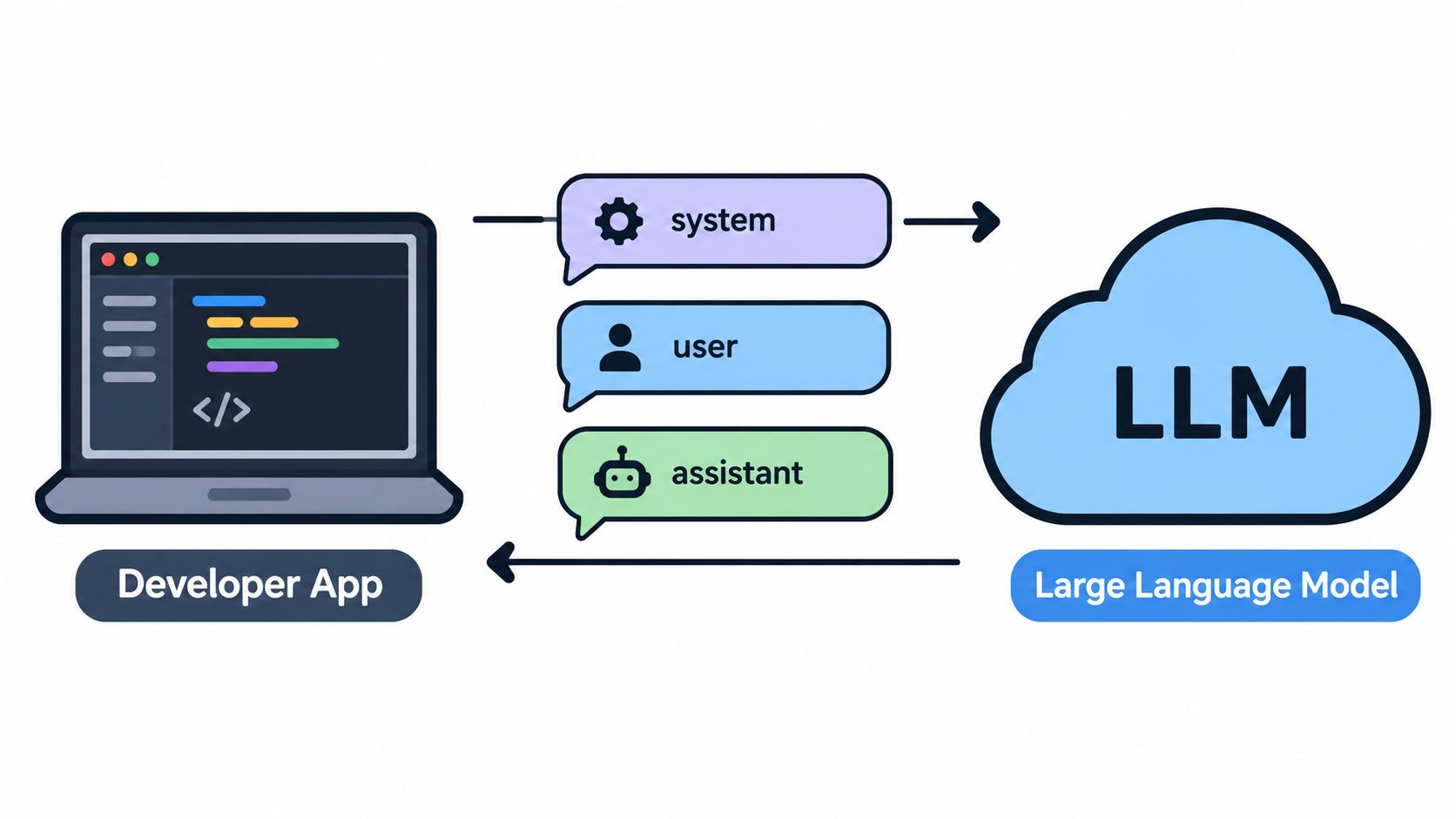
Every message has a role and some content:
- System — sets the model's behavior and ground rules
- User — contains the actual request or question
- Assistant — holds the model's previous replies
You send the relevant history on every request, and that's how the model keeps track of a multi-turn conversation. Without that, it has no memory of what was said two exchanges ago.
The API has no built-in memory. Your application owns the conversation history and feeds the model whatever portion it needs on each call.
This multi-message format was a big shift from the old single-prompt approach. It's the reason the same API now powers customer support bots, research assistants, coding helpers, and internal tools — whether you need one quick answer or a long-running back-and-forth.
A typical integration looks like this:
- Build a messages array that includes your system instructions and the user's input.
- Post it to the model endpoint over HTTPS.
- Pull the generated assistant message out of the response.
- Save that reply into your history for the next turn.
The response can come back as one complete payload, or it can stream token by token — which is what lets you show text appearing live in the UI, similar to watching someone type.
Later, you can layer in tool calls (sometimes called function calling), where the model says "I need you to check inventory" or "Query the database for this." Your app handles the actual work and sends the result back. That's how you bridge the model to your real systems.
For teams weighing which model fits their needs, it's worth browsing the available model documentation. The consistent request and response shape across models means you can swap one out later without rewriting your conversation logic.
When you send a request to a Chat Completions API, think of it like passing an actor a script, character notes, and the next line to deliver. Your application ships over JSON with a chosen model and a messages array, then gets back the assistant's reply. The Chat Completions API overview walks through the basics.
Each message carries a role and some content:
- System — sets behavior, tone, and boundaries.
- User — supplies the question or task at hand.
- Assistant — preserves earlier model replies so the conversation has memory.
A typical payload also includes a few knobs that shape the output. Temperature adjusts randomness, while max_tokens caps how long the response can run. Dial the temperature down and you'll get more predictable wording. Push it up and the phrasing becomes more varied. These settings steer the style, not the actual knowledge the model draws on.
| Parameter | Purpose | Typical Values | Impact on Output |
|---|---|---|---|
model |
Selects the model | Provider model slug | Quality, speed, price |
messages |
Supplies conversation context | Role-content objects | Relevance and continuity |
temperature |
Controls randomness | 0 to 1 | Consistency or variation |
max_tokens |
Caps generated output | Model-dependent integer | Response length |
stream |
Delivers partial results | true or false |
Waiting versus live display |
Here's a concrete scenario: a support app sends a system instruction, the customer's question, and the previous assistant reply. Your code reads the content from the response and appends it to the next request. The API itself doesn't store conversation memory, so you have to manage that thread yourself.
Read the Response Correctly
A non-streaming response typically includes an identifier, model details, a choices array, and a usage breakdown. The generated text lives inside a choice's message content. The finish_reason field tells you why generation stopped — usually stop or length.
Input tokens represent the conversation you sent the model. Output tokens are the freshly generated text. Total tokens combine both and typically drive billing.
The usage object matters for keeping costs in check. Log prompt_tokens, completion_tokens, and total_tokens on every production call, then cross-reference those numbers against your provider's pricing. Openbase captures model, provider, latency, token counts, and exact cost per call directly in its usage dashboard.
SDKs abstract away the raw HTTP mechanics, but the underlying shape stays consistent whether you're working in Python, Node.js, or curl. That consistency is what lets teams swap models or route through Openbase's OpenAI-compatible gateway without rewriting conversation logic. Still, validate required fields, handle missing content gracefully, and always check finish_reason before showing output to users.
Building a reliable Chat Completions API integration often means going beyond waiting for a single finished response. Think of streaming like getting a book page by page rather than waiting for the whole thing to print out — your interface can start displaying text the moment the first chunks arrive.
Set stream to true, then read the server-sent event stream as it comes. Each event carries a partial delta, and a final [DONE] marker tells you the response is complete. On the client side, you'll want to append text in order and have a sensible fallback ready if the connection drops mid-stream.
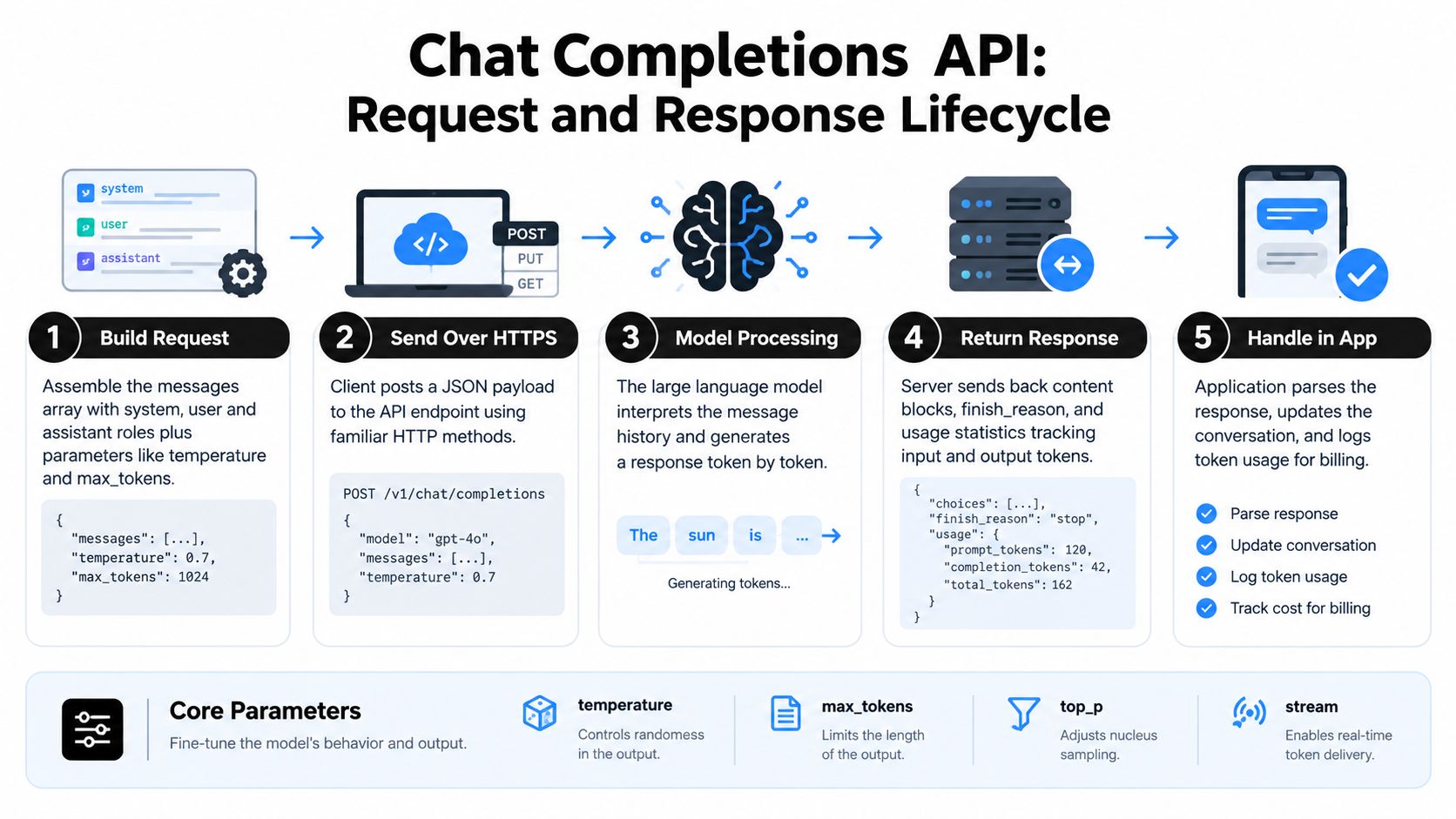
This visualization follows the request from message assembly through HTTPS, model processing, response delivery, and application handling, with the main generation controls shown below the flow. The key insight is that your application owns both sides, sending context in and interpreting every returned event.
Handle Streams Reliably
Streaming makes responses feel faster, but partial output introduces some new responsibilities you'll need to think about:
- Accumulate deltas in a buffer before committing the assistant message to your store.
- Detect interruptions and flag incomplete responses instead of treating them as final.
- Set timeouts and retry cautiously — only when repeating the request won't cause duplicate side effects.
- Inspect finish reasons so you can distinguish between a normal stop and one triggered by a length limit.
For practical event-handling patterns, the streaming implementation guide is worth a look.
Extend Conversations with Tool Calling
Tool calling builds on the same message pattern but goes beyond text generation. The model doesn't talk directly to your weather service or database — instead, it returns a structured request, your application runs it, and you feed the result back as a new message.
A solid flow looks like this:
- Define each tool with a name, description, and strict JSON schema.
- Send those definitions along with the conversation.
- Validate the model's arguments before you execute anything.
- Call the permitted service and capture the result.
- Submit the tool output back so the model can craft a natural response.
A weather assistant might request get_weather with a city and unit parameter. A database assistant could handle read-only lookups, while a scheduling assistant might need user confirmation before actually booking an appointment.
Treat tool calls as untrusted requests. Validate arguments, authorize actions, limit permissions, and log every execution.
Streaming vs Non-Streaming Comparison
The table below breaks down the practical differences so you can choose what fits each situation.
| Feature | Non-Streaming Mode | Streaming Mode | Best Use Case |
|---|---|---|---|
| Response delivery | Complete payload after full generation | Incremental chunks via server-sent events | UIs that show text in real time |
| Latency perception | User waits until the entire response is ready | First tokens appear within milliseconds | Chat interfaces, long-form content |
| Complexity | Simple request-response cycle | Requires delta accumulation and error handling | Background batch jobs vs interactive apps |
| Reliability | Single point of success or failure | Must handle dropped connections and partial output | Critical completions needing full response |
| Token-level control | Not possible | Token-level callbacks are available | Custom display or logging logic |
Non-streaming keeps things simple when you just need the finished result. Streaming is the better choice when responsiveness matters to your users, but it comes with more moving parts to manage.
SDKs and Practical Tips
Most SDKs handle authentication and parsing for you in Python or Node.js, but the application boundary is still yours to manage. A few things that tend to save headaches:
- Keep streaming logic separate from your business logic.
- Make tool handlers idempotent where you can, so retries don't cause duplicate actions.
- Test the edge cases — malformed arguments, dropped connections, duplicate events, and services that are temporarily unavailable.
Skipping those tests is the most common way streaming and tool-calling features fall over in production.
You're not paying per API call. You're paying per token, and that distinction catches a lot of teams off guard.
Prompt tokens cover everything your application sends into the model: system instructions, conversation history, tool definitions, retrieved documents, the works. Completion tokens cover what the model generates back. So a two-word user question can still rack up a meaningful bill if you're stuffing a massive context behind it every time.
Think of it like shipping packages both ways. The prompt is what you send to the model; the completion is what comes back. If you keep attaching the same heavy instruction block to every single trip, the weight adds up fast, even when the actual question barely changes.
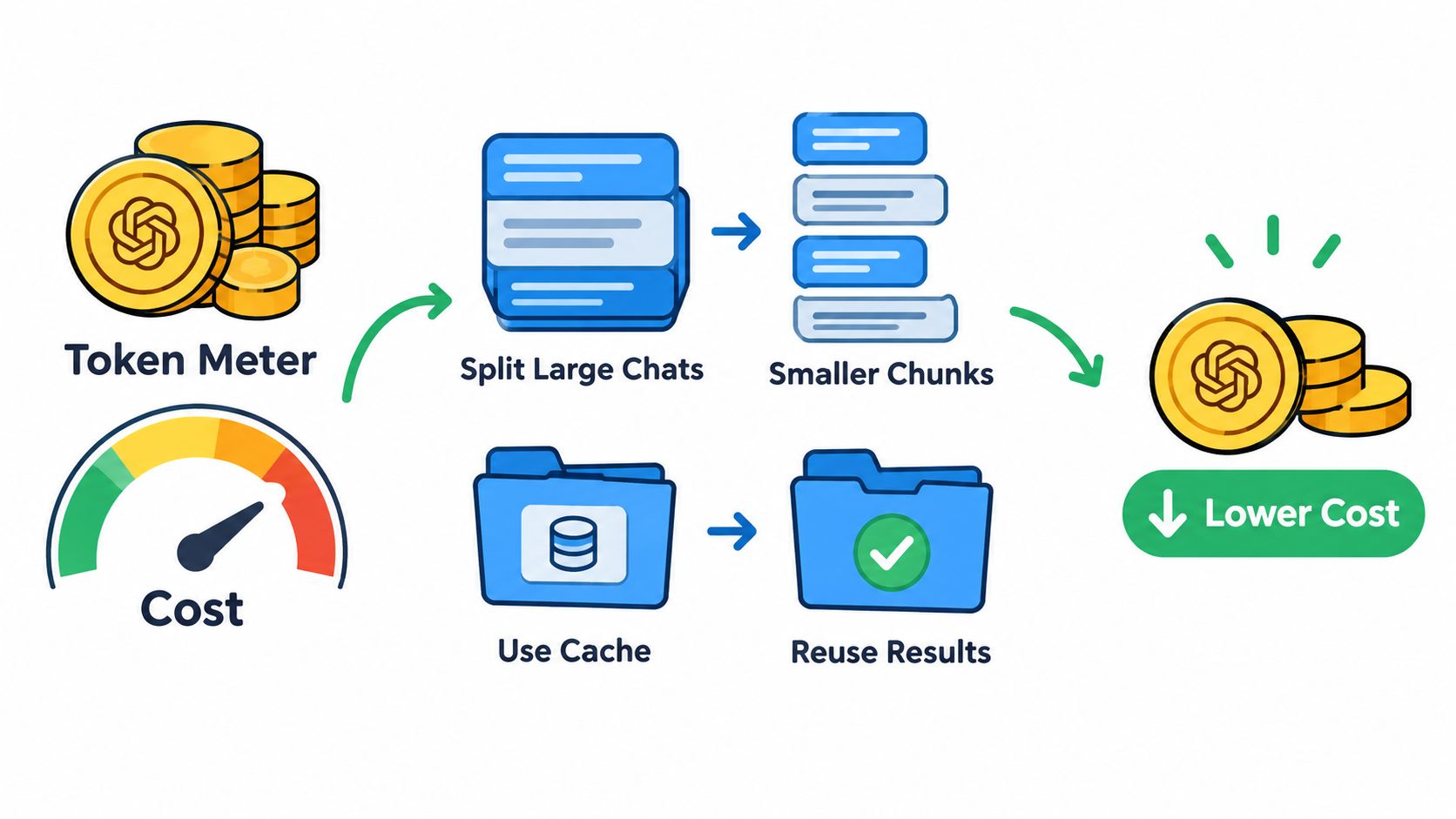
Track prompt and completion tokens separately. A growing conversation can quietly inflate your input costs long before anyone notices anything different on the screen.
Trim the Fat From Your Context
Long system prompts, unbounded chat history, and bloated tool schemas are where most of the waste lives. Rather than forwarding an entire conversation from the moment a user opened the chat, summarize older turns or pull in only the messages that actually matter to the current request.
Some practical levers worth pulling:
- Prompt caching, where the platform supports it, for instructions and context that stay stable across requests.
- Conversation chunking, keeping your active history within a defined token budget instead of letting it grow without limit.
- Model selection, routing simpler tasks like classification, triage, or basic support replies to a smaller, cheaper model.
- Output limits, capping how long a response can get so the model doesn't generate three paragraphs when a sentence would do.
For a deeper breakdown of how billing works and how to manage usage, read the guide to API billing and token costs.
Set Up Monitoring Before the Invoice Surprises You
Every response comes with a usage object. Log it. Record prompt_tokens, completion_tokens, and total_tokens, and tie each one back to the user, endpoint, model, and environment that generated it.
A sensible control loop looks something like this:
- Set daily and monthly spending thresholds.
- Trigger alerts when usage crosses a defined percentage of each threshold.
- Attribute costs to teams, features, or individual API keys.
- Degrade gracefully by shortening context or switching to a cheaper model under pressure.
- Block nonessential requests once the budget is spent.
Enterprise teams should also keep audit logs and per-endpoint cost attribution. Openbase usage records surface model, provider, latency, token counts, time to first token, and exact call cost, so finance and engineering can pinpoint unusual spikes without digging through raw API responses.
Cost control works when it's built into how you handle requests, not bolted on after the first shocking invoice. Start with token budgets, measure every call, and make your cheaper fallback paths explicit from the beginning.
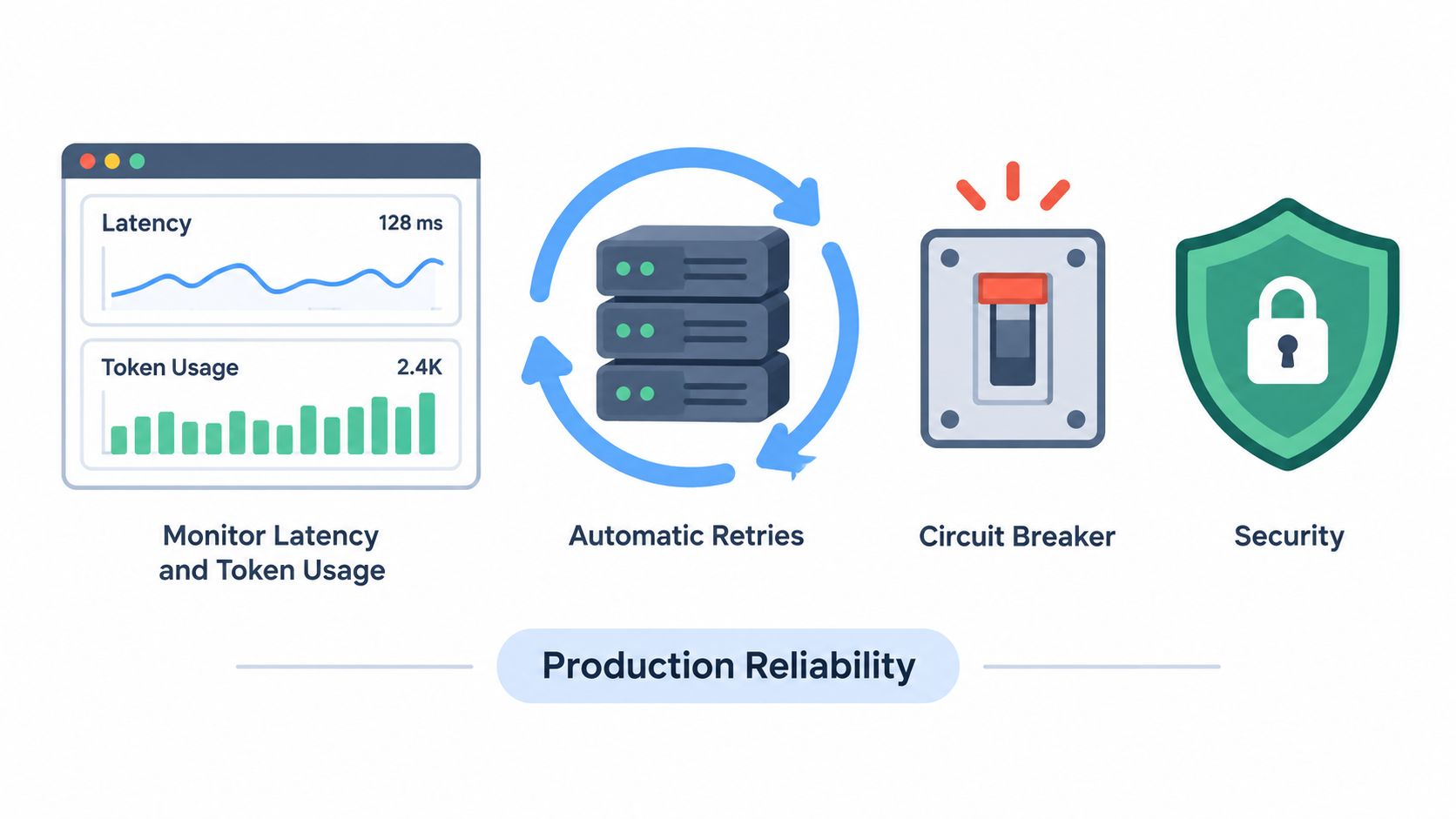
Getting a Chat Completions API call to succeed once is the easy part. Keeping it working reliably under real production traffic, where rate limits, timeouts, and upstream hiccups are routine, is what separates demos from products people actually depend on.
Build Resilient Request Handling
Not every failure deserves a retry. Retry the ones that might succeed next time: 429 rate limits, 408 timeouts, 5xx responses, and dropped connections. Use exponential backoff with jitter so retries don't pile up, and set a hard cap on attempts so a struggling provider doesn't trigger a request avalanche from your side.
On the other hand, retrying a malformed request or an authorization failure is pointless and often harmful. For tool calls specifically, make handlers idempotent or attach an operation key. Otherwise, a single retried request could double-charge a customer or book the same slot twice.
Think of a circuit breaker like a traffic gate. When upstream failures pile up, it briefly stops new calls from flowing through, returns a clear fallback response, and periodically probes whether the service has recovered. This protects your users from waiting on something that isn't responding and protects your system from flooding an already-broken provider.
Reliability isn't about assuming every request succeeds. It's about deciding what happens when the model can't answer, and having that path ready before it's needed.
Graceful degradation can look like several things, depending on your product:
- Serving a cached answer for frequently asked informational questions.
- Falling back to a smaller or secondary model.
- Offering a reduced feature, like search without summarization.
- Queueing nonurgent jobs for later processing.
Openbase can support provider redundancy through automatic failover, pooled rate limits, and mid-flight retries across eligible upstream services. Details on current routing and usage are available on their platform.
Protect Inputs and Outputs
Treat user text and tool arguments as untrusted by default. Sanitize control characters, enforce length limits, validate structured fields, and never embed secrets directly into prompts. System instructions can define which sources and actions are authoritative within the conversation, but they don't replace proper authorization checks in your application code.
Prompt injection is a real concern. Separate retrieved text from instructions, label external content clearly, and require explicit confirmation before sensitive actions execute. On the output side, filter for prohibited content, accidental personal data leakage, and unsupported claims before displaying anything to users or storing it.
Before shipping anything, run through a safe testing checklist:
- Mock normal, empty, truncated, delayed, and error responses.
- Replay representative conversation paths in a staging environment.
- A/B test prompts against fixed evaluation cases.
- Track quality, latency, token consumption, and tool-call accuracy side by side.
Observe Every Production Call
Log the metadata that matters: request ID, model, provider, status code, total latency, time to first token, finish reason, token counts, and tool outcomes. Redact conversation content from logs unless you have a documented reason to retain it and the retention is genuinely justified.
Build dashboards around the signals that predict user-facing issues: error rate, p95 latency, stream interruptions, and spikes in token consumption. Set alerts on these so degradation is caught before it becomes an incident. For high-throughput workloads, place requests behind a queue, cache deterministic results where safe, and enforce per-key rate limits to prevent a single customer from starving others.
Openbase records provider, latency, tokens, and exact cost in its usage dashboard, which means most failure investigations start with a chart rather than a pile of raw logs.
Managing one model is straightforward. Managing GPT, Claude, Gemini, and DeepSeek through separate accounts, SDKs, request formats, and invoices is a different problem entirely. A unified API gateway works like a universal adapter: your application calls one Chat Completions API pattern, and the gateway handles all the provider-specific differences behind the scenes.
Openbase provides an OpenAI-compatible gateway for models from OpenAI, Anthropic, Google, xAI, and DeepSeek. Most existing SDKs and streaming implementations keep working after you swap out three things: the base URL, the API key, and the model slug.
A unified gateway lets your application speak one consistent API language while routing requests to different model providers.
The Operational Difference
The practical impact is significant. Here's what changes when you consolidate:
- One integration replaces separate connectors for each provider.
- One key and balance replace scattered credentials across multiple dashboards.
- One invoice simplifies finance reconciliation at the end of the month.
- One usage view shows tokens, latency, provider, and exact cost per request.
Route Requests Without Rewriting Code
A gateway can choose which provider handles each request based on priority, availability, or model requirements. When an upstream service returns a 429, 408, 5xx response, or connection timeout, Openbase can retry with another eligible provider, while skipping retries for invalid requests like 400 errors.
Think of it like having multiple delivery routes behind a single checkout page. Your application places the order once, and the routing layer picks an available path. Pooled rate limits also reduce your exposure to any single provider's throttling.
Direct Provider vs Unified Gateway Comparison
| Aspect | Direct Provider Integration | Unified Gateway | Operational Impact |
|---|---|---|---|
| Model changes | Code and configuration updates | Change model slug | Minutes of work vs days of development |
| Failover | Build and maintain yourself | Included routing layer | Eliminates custom engineering effort |
| Billing | Multiple dashboards | Consolidated balance and invoice | Simplified finance operations |
| Monitoring | Custom aggregation | Per-call usage records | Immediate visibility without extra tooling |
Direct integration gives you granular control but demands ongoing maintenance across every provider. A unified gateway trades a thin abstraction layer for dramatically reduced operational overhead, which is why most teams making the switch don't look back.
Migrate in Controlled Steps
Teams already calling providers directly don't need a full rewrite. Start with a low-risk service, keep your existing messages, streaming, and tool-calling logic intact, then point the client at the gateway's compatible endpoint.
After that, compare output quality, latency, token accounting, and failure behavior against your current setup. Use separate API keys with per-key limits for development, staging, and production, and keep the original integration running during the transition.
Centralized credentials, audit trails, spend controls, and daily usage rollups also give platform teams much clearer oversight. Before scaling up traffic, check the Openbase documentation for current model support, routing behavior, pricing, and security details, since platform capabilities evolve over time.
When a Chat Completions API call breaks in production, the cause is usually mundane. Think of each request as a package with a label, contents, and delivery status. If something goes wrong, inspect the exact request and response first. Resist the urge to tweak prompts or swap models before you know what actually failed.
Check Authentication and Request Shape
Start with authentication. Confirm the key is loaded in your server environment, sent through the expected authorization mechanism, and attached to the right account or project. Never expose it in browser code or commit it to source control.
Next, validate the JSON body against the provider's current reference. A typical chat request needs a supported model and a messages array with valid roles and content. A wrong model slug, missing message, unsupported parameter, or incorrect data type can trigger a 400 error that retrying won't fix.
Structured logs make this easier. Capture the request ID, model, status code, and validation error, but redact keys and sensitive conversation text.
A failed request is often a contract problem, not a model problem. Validate the contract before changing the prompt.
Control Tokens and Timeouts
Token overflows usually come from forwarding too much history, large tool definitions, or retrieved documents without a budget. Count input tokens before sending, summarize older turns, and leave room for the expected answer. If the response finishes with finish_reason set to length, trim context first and only raise the output limit if that's genuinely needed.
Timeouts require their own handling. A non-streaming call can sit waiting until generation finishes. A streaming call stays open as chunks arrive. Set both a connection timeout and an inactivity timeout, then treat interrupted streams as incomplete rather than saving them as final assistant messages.
When diagnosing issues, test these cases specifically:
- Empty or malformed messages
- Conversations that hit maximum context
- Slow upstream responses
- Streams that drop after partial output
- Tool calls with invalid arguments
Investigate Silent Quality Failures
Not every failure returns an error code. Some calls come back with HTTP success but deliver weak answers. Compare the actual prompt, selected model, temperature, retrieved context, and finish reason against a fixed evaluation set. A provider switch can also reveal capability gaps, especially around tool calling, structured output, context size, and streaming behavior.
SDK upgrades can quietly change defaults or response parsing. Pin your versions, read release notes, and run contract tests before deployment. Log normalized fields rather than depending on provider-specific extras.
For multi-provider systems, a compatible interface does not guarantee identical behavior. Openbase can centralize model access, failover, and per-call logging to make comparisons faster.
Openbase lets you monitor tokens, latency, providers, errors, and cost from one unified gateway. Explore Openbase before your next integration review.