
Copy a pretty example, paste it into your API, and ship it. That's the popular advice, and it's incomplete in a way that breaks production systems. An Example JSON Array isn't just a syntax sample you can lift from a tutorial. It's also an operational contract that decides what your service accepts, how much memory it allocates, and how much downstream work one request can trigger.
A list can parse perfectly and still be unsafe. It can be empty when your business logic needs at least one item, enormous when your handler fans out work per element, or nested so far that your parser runs out of stack. You'll get plain definitions first, then concrete payloads, then the constraint that keeps each pattern from hurting you later. By the end, you should be able to copy an example and explain what bound it needs.
Table of Contents
- What an Example JSON Array Really Is
- Categories of JSON Arrays You Will Meet
- Detailed Example JSON Arrays for Common Jobs
- Schema Rules That Keep Arrays Honest
- Pitfalls That Valid Arrays Still Create
- Cross References to Related JSON Ideas
- How to Choose an API Path for Array Payloads
- Quick Reference and a Practical Next Step
What an Example JSON Array Really Is
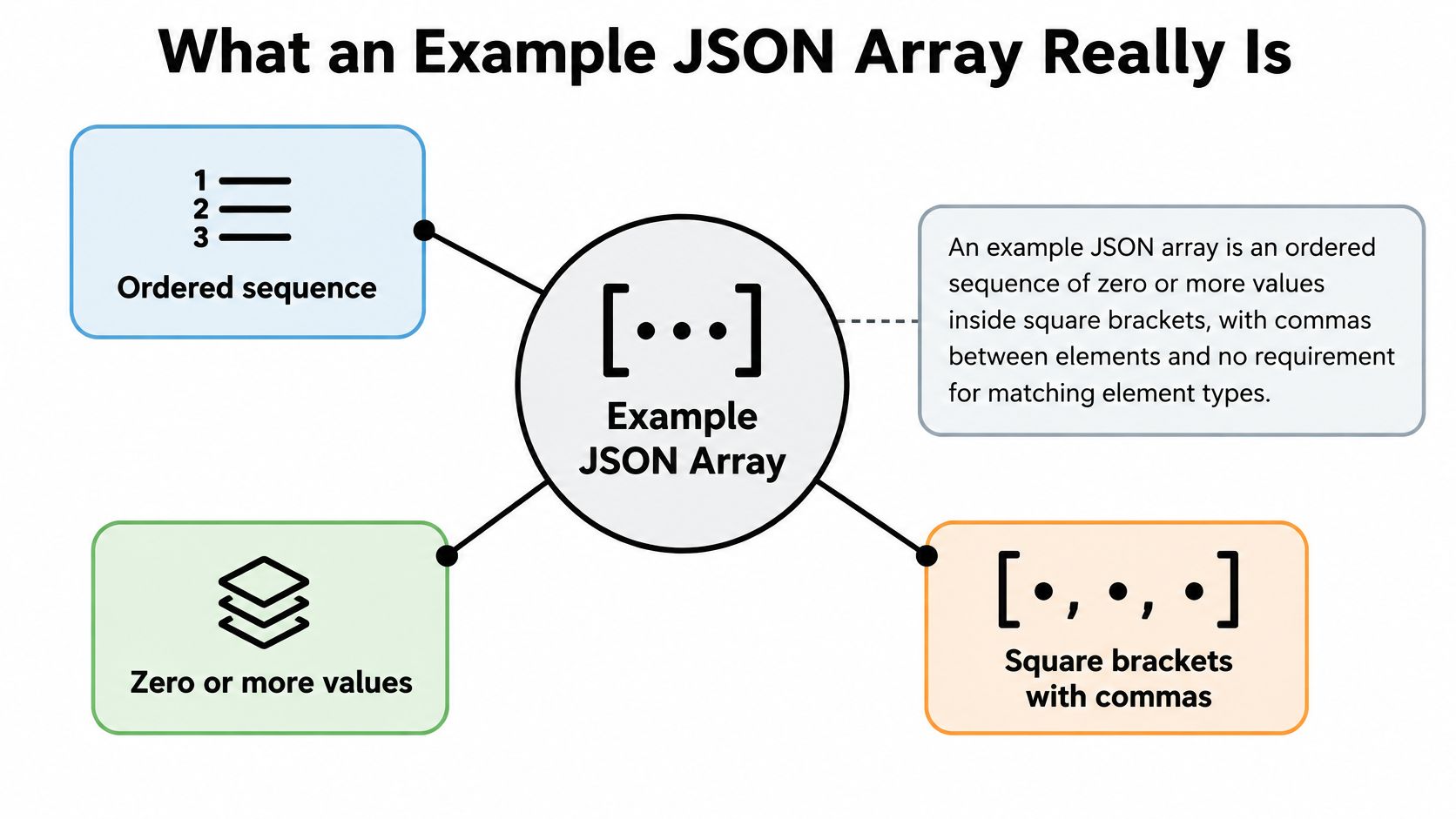
An Example JSON Array is an ordered sequence of zero or more values inside square brackets. Elements sit between commas, and nothing in the specification requires every element to share a data type. That freedom surprises new readers who assume JSON arrays work like typed arrays in some programming languages.
The formal grammar in RFC 8259, the JSON data interchange standard is an opening bracket, an optional value followed by zero or more comma-separated values, and a closing bracket. The same standard describes JSON as a language-independent data-interchange format, so an array isn't a JavaScript feature or a Python feature. It's a shared format that systems in different languages can all read the same way.
The visual below maps those three defining traits before you meet any use case.
Start With the Two Cases People Miss
The empty array, written as [], is valid because JSON permits zero elements. Learners often treat it as an error or a missing value, but it's neither. It's a complete, legal array that happens to contain nothing, and your API has to decide separately whether nothing is acceptable for a given field.
The second missed case is a mixed array such as [42, "ready", true]. A number, a string, and a Boolean can live in one ordered structure, alongside null, objects, or other arrays. Syntax allows it, even though most API collections shouldn't use that freedom casually. Remembering that legality and good design are different questions will save you confusion throughout this guide.
Why Order Is Part of the Meaning
Consumers process array values sequentially and preserve their intended position. If you shuffle a conversation so the assistant reply comes before the user question, you've changed the data even though every element still exists. The same applies to ranked search results, ordered steps in a configuration file, or fallback providers tried in priority order.
- Position carries meaning. Index zero is read first, index one second, and so on.
- Commas separate elements. There's no comma before the first value or after the last one.
- Brackets bound the whole list. Anything outside them isn't part of the array.
Practical rule: If reordering the elements would change what your program does, say so in your API documentation and never sort the array silently on receipt.
Openbase-related API responses make this concrete. Lists of model choices, tool calls, messages, usage records, or fallback providers all rely on position, and they often hold heterogeneous nested values inside each element. A tutorial example that shows only a tidy list of strings doesn't prepare you for those payloads.
Keep three tests in mind for every example that follows. Does it use brackets and commas correctly, does its order mean something, and do its element types follow a rule callers can rely on? The next steps sort arrays into categories, show worked payloads, add schema bounds, cover unsafe-but-valid cases, connect related concepts, and finish with a lookup you can scan quickly.
Categories of JSON Arrays You Will Meet
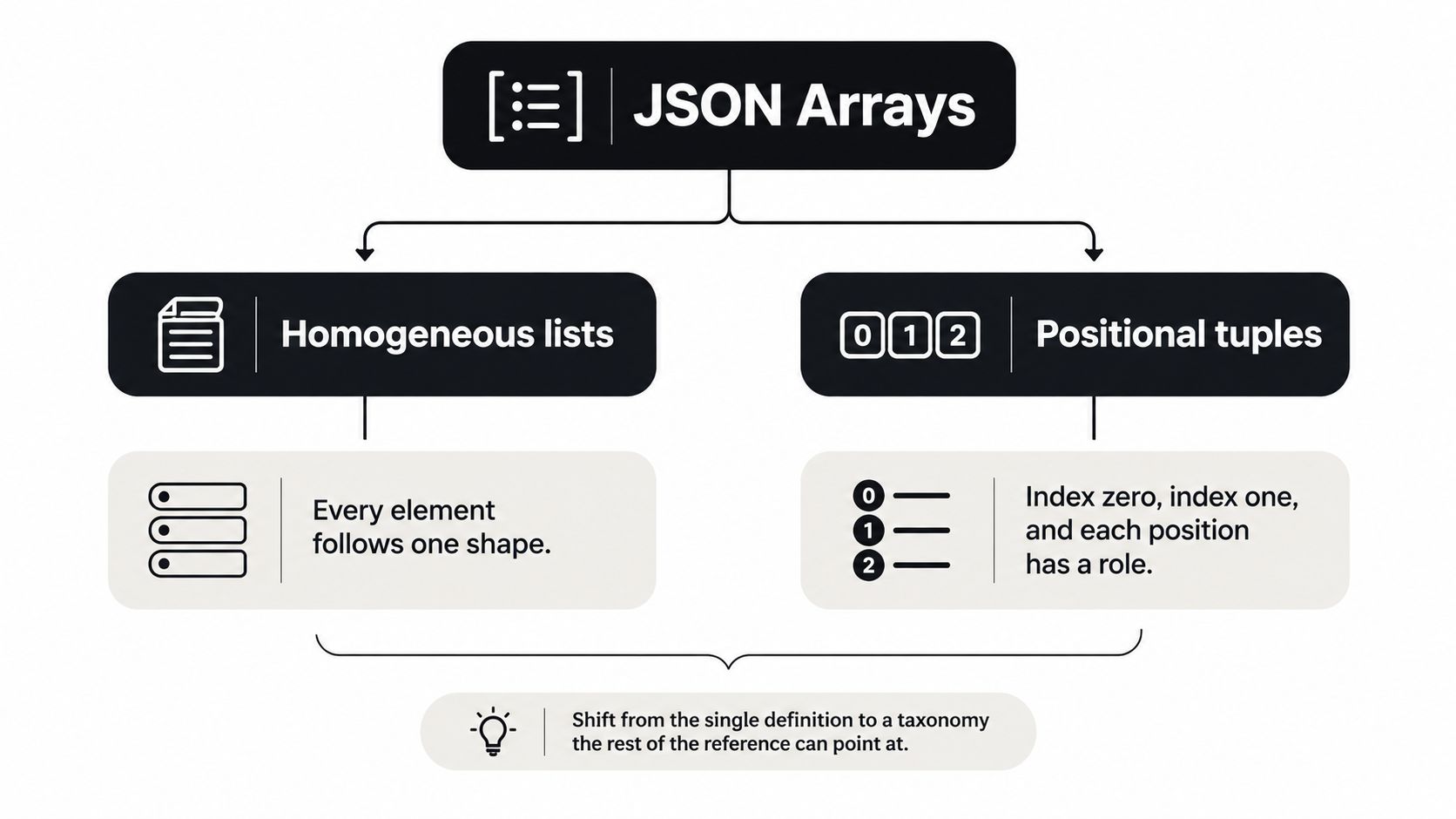
Naming the category first prevents most design arguments. A homogeneous list applies one shape to every element, while a positional tuple gives each index a different role. Those two jobs look similar in brackets but behave very differently when the payload needs to grow.
The hierarchy diagram shows that split before the smaller varieties branch off it.
A homogeneous list is the workhorse. ["billing", "urgent", "review"] works as a tag list because every element is a string and a caller can add another tag without learning a new position. Swap strings for objects and you get the most common API shape of all, an array of objects, where each element carries the same keys for a product, a message, or a log row.
The Rest of the Family
A tuple is narrower. A two-slot example such as ["latitude-first", 0] only makes sense when index zero means one thing and index one means another. That contract is fine for a fixed coordinate pair or a compact internal record, but it gets brittle fast. If a third slot appears, every caller that assumed two positions needs an update.
Nested arrays put arrays inside arrays, as in [[1, 2], [3, 4]] for a small matrix or grouped batches of records. They suit grid-shaped or batched data, and they're a poor substitute for objects when each group has a name. If you find yourself explaining what the inner list at index two represents, an object with a key would explain it better.
- Empty array.
[]is its own category, because callers and servers both need an explicit rule for it. - Mixed-type array. Legal, useful for teaching heterogeneity, but hard to document as an extensible API collection.
The short video below revisits the list and tuple distinction if you prefer to hear it walked through before reading full payloads.
How to Choose Before You Name a Field
Ask one question first. Can items be added, removed, or reordered without changing what each element means? If yes, you're looking at a homogeneous list, and an array of objects is usually the safest form because new keys can appear inside elements without disturbing positions.
If the answer is no, and position itself is the contract, document that plainly so nobody treats the tuple as a growable collection. Mixed-type arrays deserve the same honesty. Use one deliberately when the example's job is to show that JSON permits different types together, not as a shortcut that forces every consumer to guess the type at each index.
Detailed Example JSON Arrays for Common Jobs
Categories tell you the shape. Worked payloads show you what to send. Each entry below is complete enough to adapt, and each one points back to a category you already met.
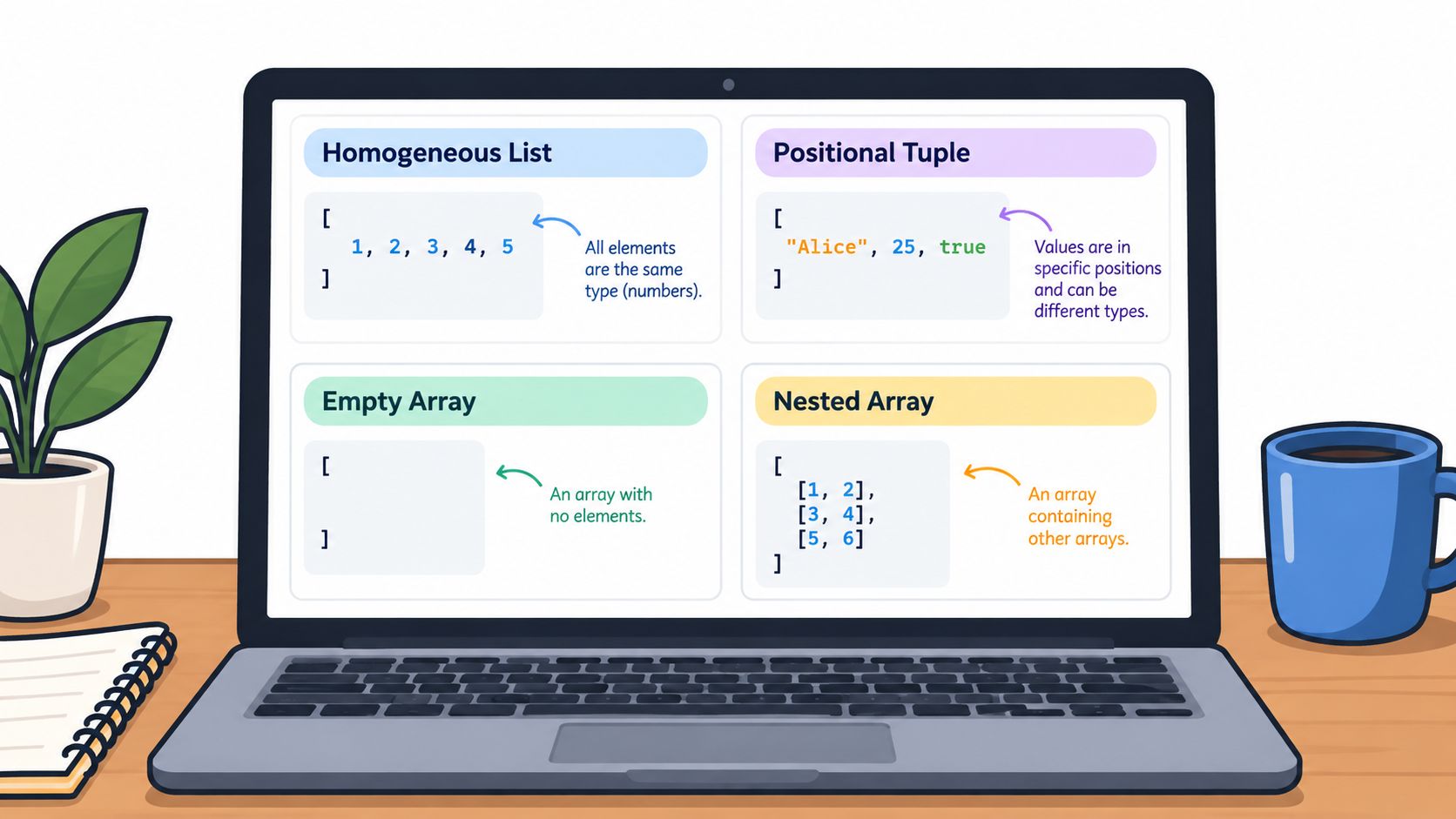
The screenshot groups the four shapes these payloads draw from, so you can compare them at a glance while reading.
A Products Array of Objects
Picture a small catalog response: [{"id": "sku-1", "name": "Notebook", "price": 12}, {"id": "sku-2", "name": "Pencil", "price": 2}]. The outer brackets hold the list, a comma separates the two objects, and each object is a nested value carrying stable keys for id, name, and price. Element order is the catalog order, so the client renders the notebook before the pencil without extra sorting instructions.
This is a homogeneous list of objects. Adding a third product means appending one more object with the same keys, and existing clients keep working. If the catalog is empty, the field should return [] rather than disappearing, so client code can always iterate the same way.
A Chat Messages Array
A conversation makes position impossible to ignore: [{"role": "system", "content": "Answer briefly."}, {"role": "user", "content": "Summarize this ticket."}, {"role": "assistant", "content": "Here is the summary."}]. Read it in order and it's a dialogue. Reverse it and the assistant answers a question that hasn't been asked yet.
Each element pairs a role with content, and the nested values are short strings. Commas sit between message objects, never after the final assistant entry. The same array position appears in OpenAI-compatible chat completions bodies, which is why an example written for one SDK can move to a compatible endpoint when only the base URL and key change.
A Tool Calls Array
Language model requests often carry more than one call, in order: [{"name": "lookup_order", "arguments": {"order_id": "A-100"}}, {"name": "check_stock", "arguments": {"sku": "sku-1"}}]. Here the nested value to notice is arguments, an object inside each array element. The first call runs before the second because the array says so.
- Name fields stay consistent. Every element identifies which tool to invoke.
- Arguments stay nested. Keeping parameters inside their own object prevents key collisions with the call itself.
A Usage Rows Array
A gateway-style log illustrates the same list shape with different fields: [{"model": "model-a", "provider": "provider-a", "input_tokens": 120, "output_tokens": 40, "latency_ms": 850, "cost": 0.002}]. Treat those numbers as illustration of list shape only, not live dashboard data. What matters is that each row is one object, rows arrive in record order, and finance or debugging tools can walk them one by one.
Notice what's shared across all four entries. Brackets outside, commas between elements, and at least one nested object or string inside. If you can point at those three things in a payload you're about to copy, you understand its structure well enough to adapt it safely.
Schema Rules That Keep Arrays Honest
An example shows what good input looks like. A schema decides what gets accepted at 2 a.m. when nobody's watching. JSON Schema gives you two main ways to describe array elements, and picking the wrong one creates breakage that syntax checking won't catch.
For a homogeneous list, items holds one schema that applies to every element. For a tuple, an array of schemas assigns a distinct contract to each index, as set out in the JSON Schema array validation reference. One style says every slot follows the same rule. The other says slot zero and slot one are different kinds of thing.
The Keywords That Bound a List
minItems and maxItems enforce cardinality. JSON Schema defines the first as a non-negative lower bound and the second as a non-negative upper bound, with validation failing when the instance size violates either constraint. A messages field with a minimum of one rejects an empty request. A batch field with a maximum stops one caller from submitting unbounded work.
uniqueItems: true needs restraint. Turn it on only when duplicate values are semantically invalid, such as a set of permission codes where repetition means nothing. Uniqueness checks can add computational cost for large or deeply nested values, because the validator has to compare elements against each other rather than checking each one alone.
A bound you don't write down is a bound your largest customer will eventually exceed.
A Practical Recipe for API Payloads
Start with type: "array" so non-array input fails immediately. Add a bounded maxItems to limit memory and processing exposure, an items schema that rejects malformed element types, and minItems where an empty request is meaningless. That combination covers the failures you'll see: wrong type, too many, too few, and bad elements.
Tuple validation fits fixed positional structures, such as a coordinate pair that will never grow. It turns brittle when fields may be added or reordered, because the schema is tied to indexes rather than to a shared element shape. List validation is generally safer for extensible collections like messages or tool calls, where tomorrow's element looks like today's.
| Choice | Schema shape | Best when | Main risk |
|---|---|---|---|
| Homogeneous list | One items schema for all elements |
Collections that grow, like messages | Forgetting maxItems leaves size unbounded |
| Positional tuple | An array of schemas, one per index | Fixed slots, like coordinate pairs | Adding or reordering a slot breaks callers |
Read the table as a decision, not a summary. If your elements share a shape and the count can change, choose the list row and write its bounds. If position is fixed, choose the tuple row and accept that changing it later is a breaking change you'll have to version.
Pitfalls That Valid Arrays Still Create
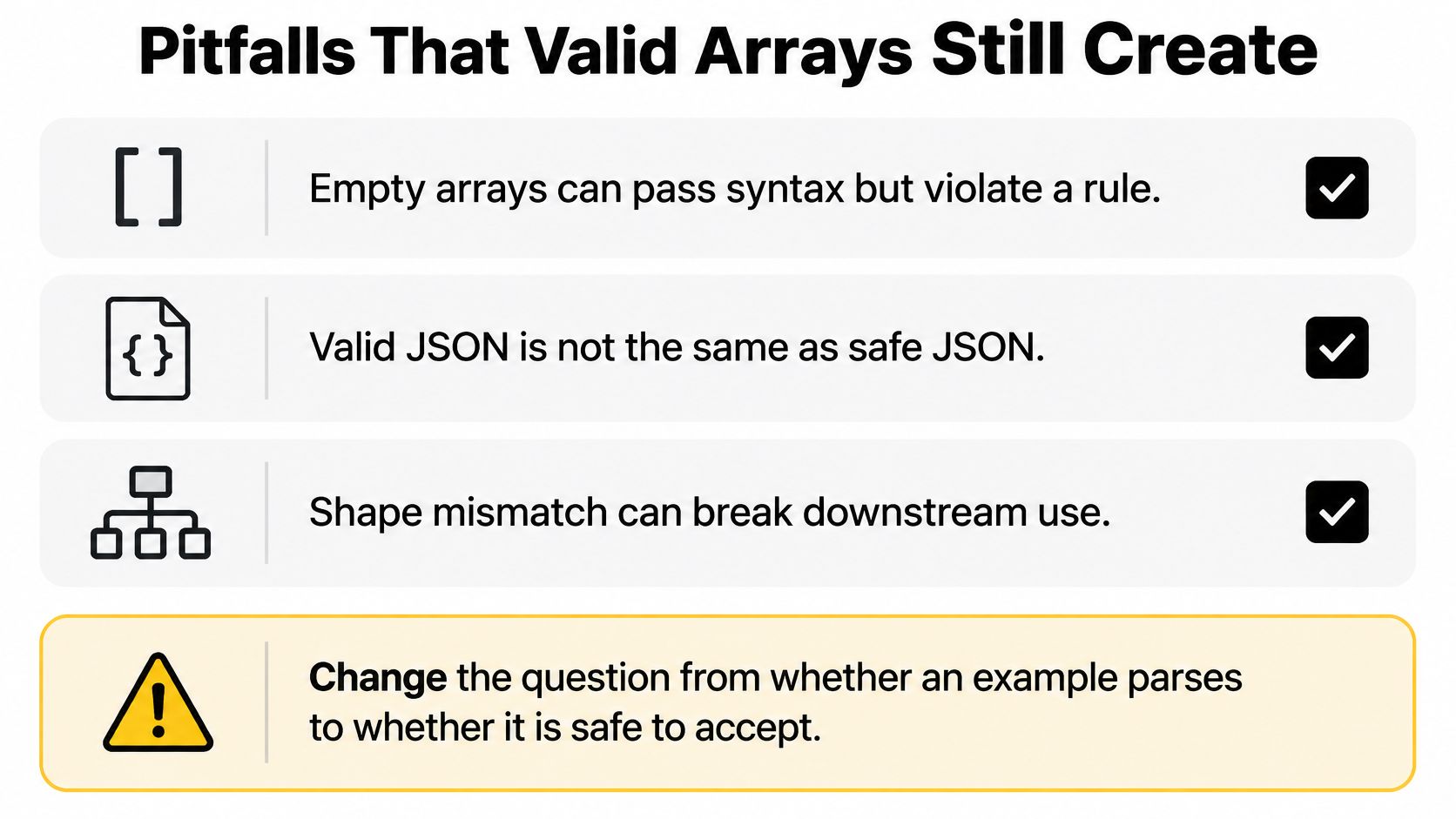
Valid JSON is not the same as safe JSON. That single sentence explains most array incidents. Your parser confirms brackets and commas. It says nothing about whether accepting the payload is a good idea.
The checklist below names the hazards that survive a successful parse.
Where Passing Input Still Fails You
An empty array passes syntax but can violate a business minimum. A checkout that accepts [] as its item list has to decide whether that's a free order, a client bug, or a request to reject. Duplicate elements raise a similar question. They're only a problem when duplicates are meaningless, which is exactly when uniqueItems belongs in your schema and not before.
Oversized strings inside otherwise ordinary elements slip past element-type checks. One message object with an enormous content value consumes memory and downstream context just the same as many small ones. Deeply nested arrays are worse. A neutral security analysis of JSON parsing library vulnerabilities and parser stack exhaustion reports that deeply nested arrays can exhaust recursive-descent parser call stacks and recommends explicit limits plus streaming parsers for large documents.
Why Language Model Payloads Raise the Stakes
LLM applications routinely pass arrays of messages, tool calls, documents, search results, and batch records through APIs. Each element can trigger real work, a retrieval, a function execution, or a billed model call. A copied example with no maxItems becomes an unbounded fan-out or denial-of-service vector the moment a caller, or an attacker, scales it up.
Set explicit limits for document size, nesting depth, string length, and key counts before your handler runs. Use a streaming parser when a document is large instead of materializing the whole structure in memory at once. Decide in advance what your API returns for an empty, duplicated, or oversized array, and document that behavior where callers can find it, such as the Openbase error reference for API responses.
- Cap length at the schema.
maxItemsis an operational control, not documentation decoration. - Define empty and duplicate behavior. Silent acceptance turns client bugs into your data problems.
- Reject or stream oversized input. Parsing everything into memory first is a choice, and often the wrong one.
Most tutorials stop at a list of strings and never ask these questions. That's why copying an Example JSON Array without its limits is the risky part, not the brackets. Treat schema bounds like rate limits. They exist because capacity is finite, and they belong in the first version of an endpoint, not in the incident follow-up.
Cross References to Related JSON Ideas
Arrays rarely travel alone. An array orders values, while an object names them, which is why most real API entries are arrays of objects rather than bare arrays. When you're deciding where information belongs, ask whether the reader needs a position or a label. Product entries need both, position in the catalog and labels inside each object.
Why Examples Travel Across Languages
That portability has a standards history. The first JSON message was sent in April 2001 by Douglas Crockford and Chip Morningstar, and RFC 4627 appeared in 2006 registering the media type application/json, according to the history of JSON standardization from RFC 4627 to ISO. Ecma International standardized JSON through ECMA-404 in 2013, followed by the IETF's RFC 7159 in 2014.
On December 13, 2017, the IETF published RFC 8259, which obsoleted RFC 7159 and became Internet Standard STD 90. The same year brought ISO/IEC 21778:2017, completing the move from web convention to internationally recognized standard. RFC 8259 was designed to remain consistent with ECMA-404 while adding interoperability and security guidance for networked exchange. That coordination is the reason an example written in one language's documentation parses identically everywhere else.
Neighboring Payload Ideas
A messages array and a tool-call array are siblings. Both preserve order, both hold objects, and both break if you treat them as unordered sets. A usage array connects to a different neighbor, billing. Its rows carry fields such as input and output token counts, including reasoning tokens when a platform reports them, so the same list shape serves both debugging and finance reconciliation.
- Need a bound for an array you accept? Return to the schema keywords covered earlier.
- Need a sample to adapt? Return to the worked product, message, tool-call, and usage entries.
Structured outputs sit nearby too. When a platform accepts a tools array with JSON Schema parameters, the array grammar and the schema contract meet in one request body. Understanding each idea separately first is what lets you read that combined payload without confusion. Keep the map simple. Objects name, arrays order, schemas bound, and standards make all three portable.
How to Choose an API Path for Array Payloads
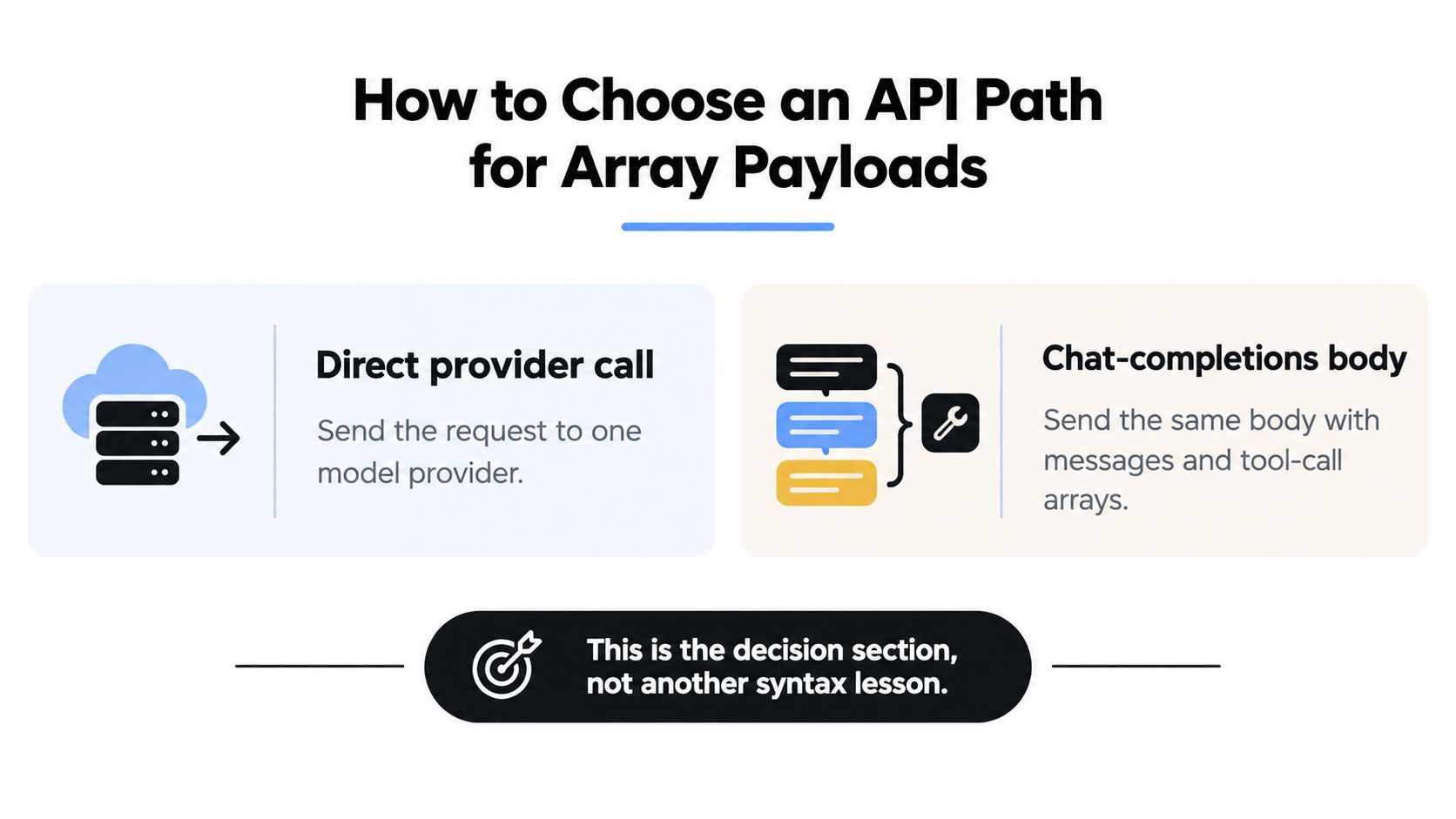
Suppose your messages and tool-call arrays are well-formed and bounded. You still choose where to send them. Call each model provider directly, or send one chat-completions body to a single compatible endpoint?
The comparison frames that choice before the details fill it in.
What Changes and What Doesn't
With direct calls, each provider means its own key, balance, invoice, and SDK quirks. Openbase takes the other path as a unified gateway that mirrors the OpenAI Chat Completions interface, reaching models from OpenAI, Anthropic, Google, xAI, and DeepSeek through provider-prefixed slugs. Your request and response bodies stay consistent, so an Example JSON Array inside a request doesn't get rewritten when a model is added. Only the base URL and key change, which you can see in the Openbase quickstart for sending your first compatible request.
Failure handling differs too. A single-provider integration absorbs outages and throttling alone, while the gateway adds automatic failover with mid-flight retries on 429, 408, 5xx, and connection timeouts, without retrying 400 or 404 conditions where the request itself is wrong. Pooled rate limits across providers serving the same model reduce throttling exposure during spikes.
Billing and Observability for Array-Heavy Calls
The billing model is prepaid and per-token at published per-million rates, with explicit reasoning-token accounting and no charge when a failed attempt produces no tokens. Streaming responses and tool calling run through the same request shape, so your arrays keep one home. Unlimited API keys with per-key limits let you isolate environments, and logs record model, provider, token counts, latency, time to first token, and cost per call.
Choose direct integration if you use one provider and value a minimal dependency list. Choose one compatible endpoint when several providers serve the same array-heavy traffic and you're tired of duplicated SDK work, scattered invoices, and blind spots in per-call spend. Either way, the array discipline stays yours. Gateways route payloads. They don't decide your maxItems for you.
Quick Reference and a Practical Next Step
Keep this lookup beside your editor. It compresses everything above into checks you can run in under a minute before you copy any Example JSON Array into an API.
- Brackets and commas. Square brackets outside, commas between elements, none trailing.
- Empty is valid.
[]parses, so state separately whether your field accepts it. - Order is preserved. Treat position as meaning unless you've documented otherwise.
- List or tuple. One shared shape for collections, positional contracts only for fixed slots.
minItemsandmaxItems. Bound every array you accept from another system.uniqueItemssparingly. Enable it only when duplicates are semantically invalid.- Size, depth, and string caps. Set them before parsing, and stream large documents.
Jump Back to a Worked Entry
- Products. A homogeneous list of objects with stable
id,name, andpricekeys. - Messages. Role and content objects where order forms the conversation.
- Tool calls. Named calls with nested
arguments, executed in sequence. - Usage rows. Log-shaped objects carrying model, provider, tokens, latency, and cost.
Try One Real Request
Take the messages array from the worked entries, keep your existing OpenAI-style SDK, and send it to Openbase by changing the base URL and key. The Openbase SDK documentation for curl, Python, and Node clients shows where to paste that first call. Then read the usage log for model, provider, tokens, latency, and cost, and confirm the response matches the shape you sent.
If finance needs the same data later, daily rollups and monthly invoices turn those usage rows into reconciliation records without another export job. Start with one bounded array, one successful call, and one log entry you can explain. That's the whole method, small enough to finish today and strict enough to survive production.
Take one bounded messages array you already trust and send it through Openbase, which gives you models from multiple providers behind one key, one balance, and per-call logs of tokens, latency, and cost. You'll keep your existing OpenAI-style request bodies, gain automatic failover when an upstream provider falters, and see exactly what each call spent. Start your first request today at Openbase and check the usage log against the array you sent.