

You've added a provider SDK, copied the key into a local .env file, confirmed that the first request works, and moved on to the feature itself. That workflow is fine for a quick experiment. It becomes dangerous when the same credential starts traveling through CI/CD, staging, production, logs, notebooks, frontend bundles, and distributed AI workers.
The practical answer to how to use an API key safely in production isn't just “put it in an environment variable.” You need to decide what the key can access, where it can run, how much traffic it can generate, when it expires, how you'll replace it without downtime, and how quickly you can disable it during an incident. A key is a credential with a lifecycle, not a configuration string.
Table of Contents
- What a Leaked Credential Actually Costs
- Storing and Injecting Keys at Runtime
- Scoping Permissions and Enforcing Limits
- Isolating Environments for Safe Deployment
- Executing Rotation and Revocation Workflows
- Centralizing Access with a Unified Gateway
What a Leaked Credential Actually Costs
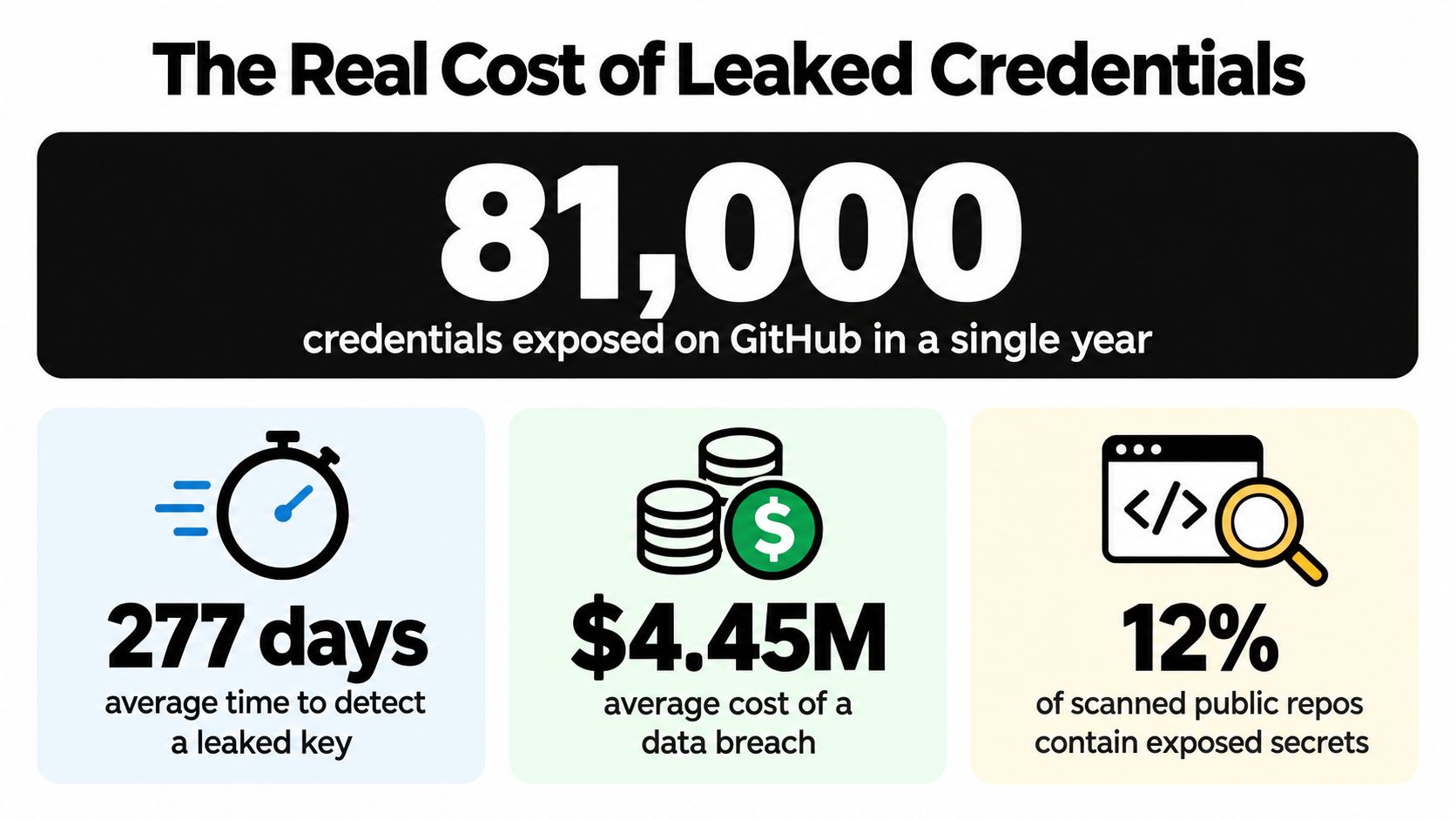
A production incident can begin with one debugging shortcut. An engineer hardcodes a provider key, commits the change, and pushes it to a public repository. Removing the line in the next commit does not remove the credential from Git history, forks, pull request metadata, build caches, or local clones. Secret scanners and attackers can find it even after the main branch looks clean.
The blast radius depends on the key's permissions and distribution. A compromised inference key may let an attacker consume quota, submit expensive workloads, or extract application data through crafted prompts. A broadly privileged credential can reach unrelated APIs, accounts, or administrative operations. A narrow key still creates substantial exposure when hundreds of distributed AI workers share it. One leak then grants the attacker the same boundary as every service using that credential.
Practical rule: Treat a discovered key as compromised before investigating its use. Contain the credential first, then reconstruct the timeline.
Basic storage advice does not address the full operational problem. The Cloud Security Alliance's API-key management findings report that about 84% of organizations use bare API keys or basic shared secrets. Only 20% have formal API-key offboarding and revocation processes, and 19% have automated offboarding. Nearly 40% take weeks or longer to offboard keys, while independent research cited by the same source found that 35% of exposed keys remained active.
Authentication is only the first control
An API key generally identifies the application or project making a request. It does not establish which person initiated the action, whether that person is authorized, or whether the request matches the application's intended behavior. OWASP API security guidance recommends using keys for project or client authentication, sending them over HTTPS, keeping them out of URLs, and adding other controls for sensitive resources.
URL parameters create unnecessary exposure. Web servers, reverse proxies, analytics platforms, browser history, and monitoring tools may retain them in logs or caches beyond the security team's expected boundary. Send credentials through the provider's supported authentication header, then redact authorization values before logs, telemetry, or error reports leave the process.
A leaked key also starts an exposure window. If operators cannot identify its owner, scope, deployment locations, or replacement path, incident response becomes a choice between leaving access active and interrupting production. Per-key limits, environment-specific credentials, usage alerts, and automated revocation reduce that window and keep one compromised worker from becoming a system-wide incident.
Storing and Injecting Keys at Runtime
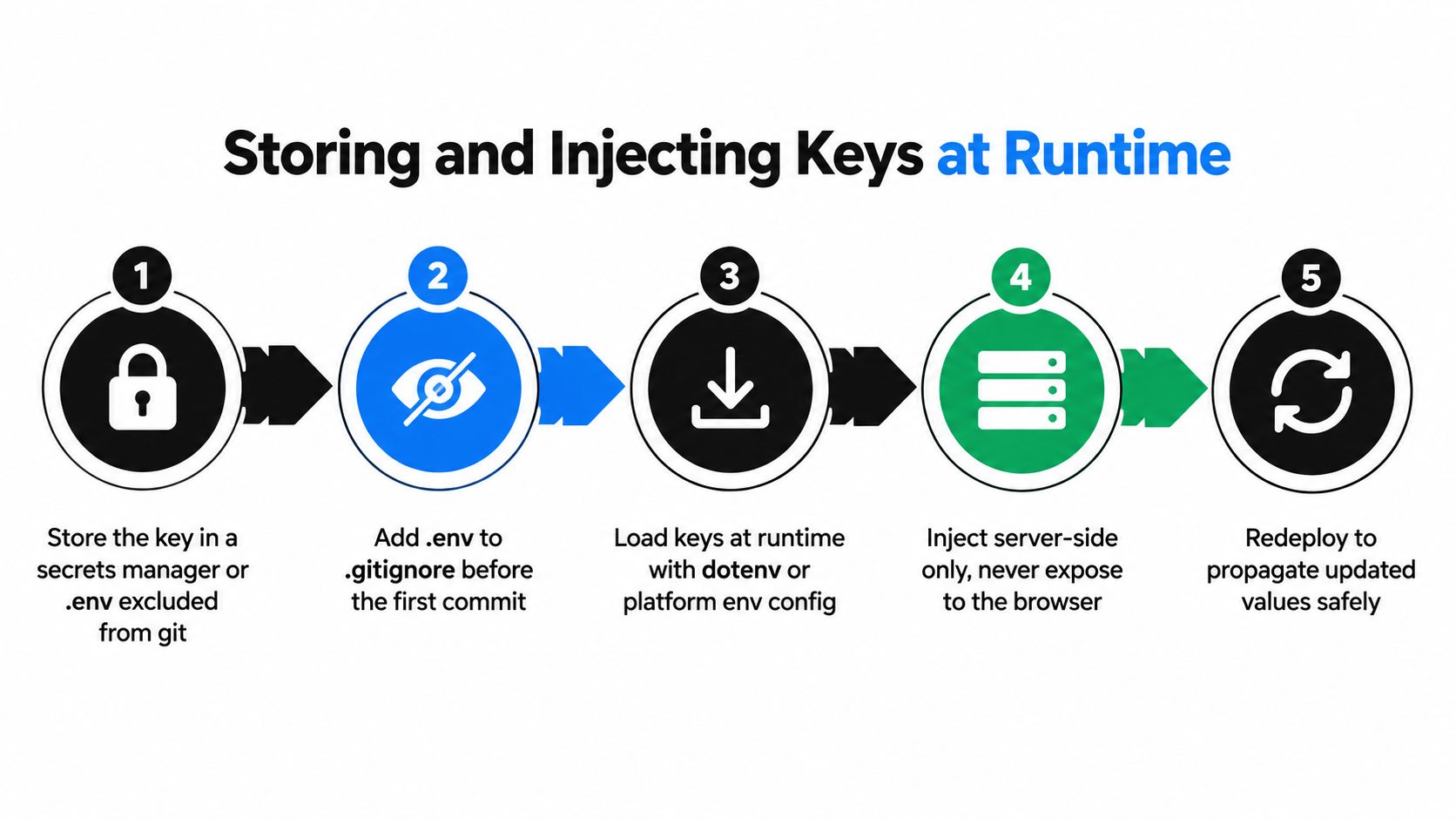
Keep the secret outside application source code and outside anything that gets delivered to an untrusted client. For local development, an environment variable loaded from a file excluded from version control is a useful boundary. It's a development convenience, not a complete production secrets strategy.
Before writing the first key to a local file, add that file to .gitignore. Check staged files before every commit, and configure repository secret scanning where available. If a key has already reached a repository, deleting the line isn't remediation. Revoke the credential, issue a replacement, and inspect the repository history and build systems for copies.
Use local configuration for development, not deployment
A practical local pattern looks like this conceptually:
- Create a key for the development project or account.
- Save it in a local environment file that Git ignores.
- Load it when the application starts.
- Pass it through the server-side SDK or HTTP client.
- Keep the value out of request logs, exception messages, test snapshots, and telemetry payloads.
The application should read the value at runtime, not bake it into a compiled bundle. Build-time substitution can place the secret in frontend JavaScript, source maps, container layers, or static assets. Treat every browser-delivered value as public. If a browser needs to trigger an AI request, send the request to your backend, authenticate the user separately, and let the backend make the provider call.
For service authentication details, use the Openbase authentication documentation alongside the provider's own documentation. The important implementation property is the same across vendors, the server retrieves the secret from a controlled source and supplies it only to the outbound request that requires it.
Production needs a secret manager
Production services should retrieve secrets from a dedicated system such as AWS Secrets Manager, HashiCorp Vault, or Google Cloud Secret Manager. Store metadata with the secret, including its owner, environment, service, permitted provider, creation time, and replacement procedure. Access the secret through the workload identity or deployment role, rather than distributing a permanent copy to every engineer or pipeline step.
Inject the value when the process starts or when the platform retrieves it through a supported runtime mechanism. Don't print the entire environment, don't include authorization headers in debug logs, and don't place secrets in exception objects that an error tracker serializes automatically.
When you rotate a value, update the secret manager first, deploy or restart consumers in a controlled way, and verify that new requests use the replacement. Applications that cache configuration need an explicit refresh design. Otherwise, the secret manager may contain the new value while long-lived workers continue using the old one.
Scoping Permissions and Enforcing Limits
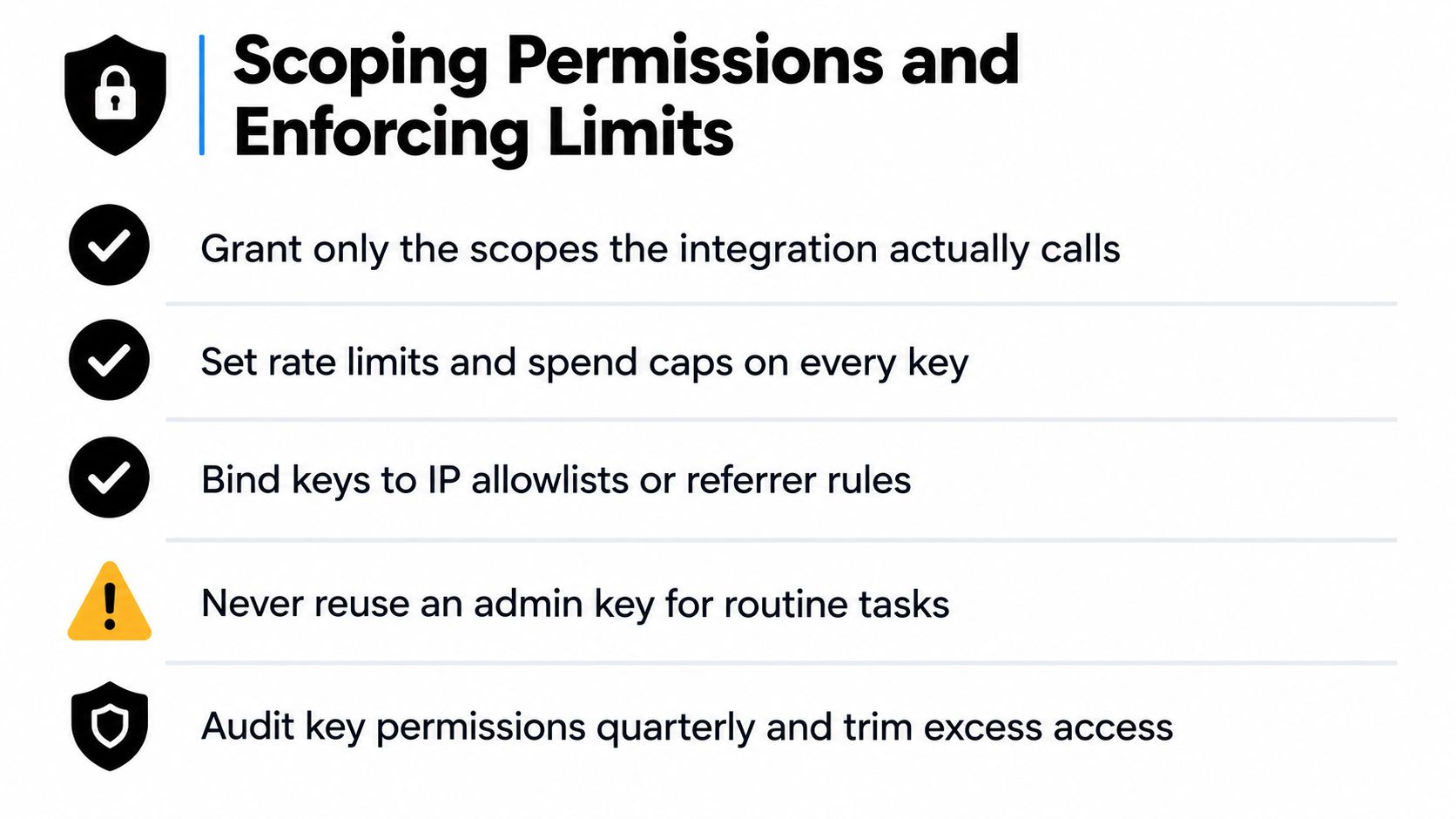
A leaked unrestricted key can turn one exposed credential into a platform-wide incident. Define the exact operations each integration performs, then grant only those permissions. A worker that submits inference requests to one service should not manage accounts, create credentials, change billing settings, or call unrelated APIs.
Enforce the boundary at the provider layer wherever possible. Useful controls include API and model allowlists, project boundaries, source restrictions, and separate credentials for distinct workloads. Client restrictions can limit misuse, but they do not protect a secret embedded in a browser or mobile application. Attackers can recover that key even when the application restricts its normal call path.
Design limits around the workload
Rate limits and spend controls address different failure modes. A request-rate limit controls concurrency and traffic bursts. A token or usage limit controls how much model work a credential can initiate. A daily or monthly budget guard can stop a runaway worker after a deployment error.
Apply controls per service, environment, and trust boundary. Shared credentials across batch jobs, user-facing requests, experiments, and scheduled agents make attribution difficult and allow one workload to consume another's capacity. An evaluation job should receive a smaller allowance and narrower model access than a production serving key.
Per-key rate-limit guidance is useful when a gateway sits between your application and several upstream providers. The gateway can enforce a limit before traffic fans out, while the application still applies user, tenant, queue, and endpoint controls. Provider, gateway, and application limits should fail closed where possible.
Use HTTP 429 when a client exceeds its permitted request rate. Return a retry hint when the API contract supports it, use bounded backoff in clients, and cap automatic retries. Without those limits, a retry storm can turn a temporary provider failure into a workload-wide outage.
Give every key an owner, purpose, and usage record. Alert on unexpected models, source locations, request volumes, or spend, then trigger an automated disablement or revocation workflow when the signal crosses a defined threshold. Keep the key identifier in audit logs, never the secret itself.
Keep permissions reviewable
Review permissions whenever a service changes, not only during a scheduled security exercise. Remove unused model access, stale source restrictions, and administrative permissions added during debugging.
A key should be boring to describe: one service, one purpose, one owner, and one clear revocation path.
Isolating Environments for Safe Deployment
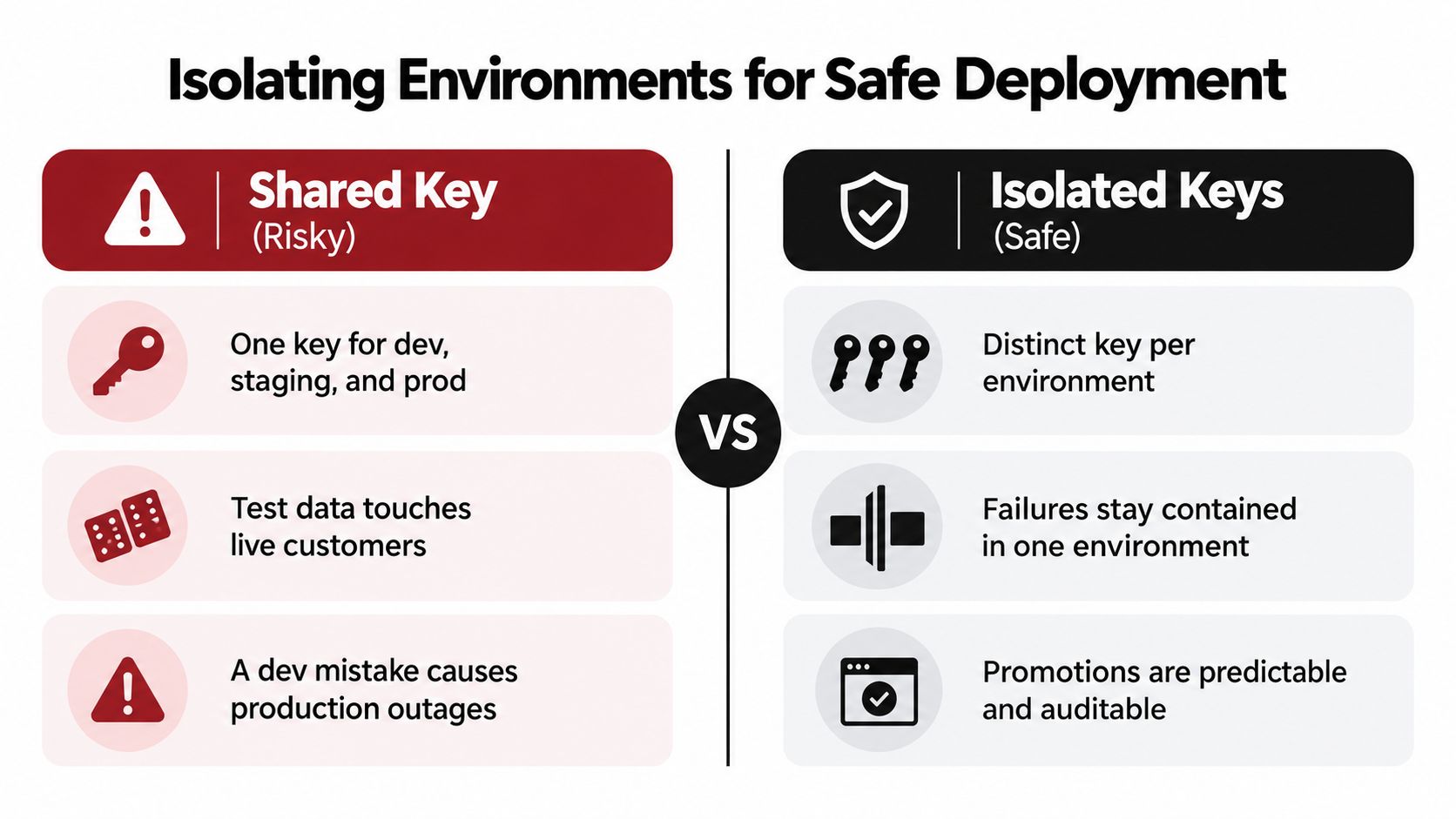
Using one credential across development, staging, and production creates coupling where you need separation. A developer testing a malformed prompt can consume production quota. A staging deployment can write to live data. A repository or CI log with a development mistake can expose the same credential that protects customer-facing traffic.
The safer design creates distinct keys and distinct access policies for each environment. Development uses development resources and test data. Staging mirrors production behavior without inheriting production authority. Production credentials are available only to production workloads and tightly controlled deployment systems.
Three isolation strategies
Separate provider projects provide the strongest boundary when the provider supports them. Each project can have its own billing, quotas, members, APIs, and credentials. The operational cost is extra setup and more accounts or projects to reconcile.
Separate keys within one project are easier to operate, but they depend on the provider's key restrictions and quota model. Use different credentials for each environment and service, then apply the narrowest available API and client restrictions. This approach is better than sharing one key, although it may not isolate billing or data as strongly as separate projects.
A gateway boundary centralizes upstream credentials in one controlled service. Application environments receive gateway keys rather than direct provider keys, and the gateway decides which models or upstream routes each key can use. This can simplify rotation and observability, but it adds a critical dependency. Protect the gateway keys and make sure the gateway's own per-key policies distinguish environments.
Put production access behind the pipeline
CI/CD should retrieve production secrets only for jobs that deploy or operate production services. Don't expose the production value to every pull request, build log, test runner, or developer shell. Use the CI platform's secret store or workload identity integration, mask secret values in logs, and separate approval for production deployment from routine test execution.
Local development should use a dedicated key with restrictive limits. Integration tests should target a controlled project or mock server where practical. If a test must contact a real provider, give it a credential that can't reach production resources and doesn't share production quotas.
Environment isolation also improves diagnosis. When a credential generates unexpected traffic, the key itself tells you which boundary to investigate. That signal disappears when every workload presents the same identity.
Executing Rotation and Revocation Workflows
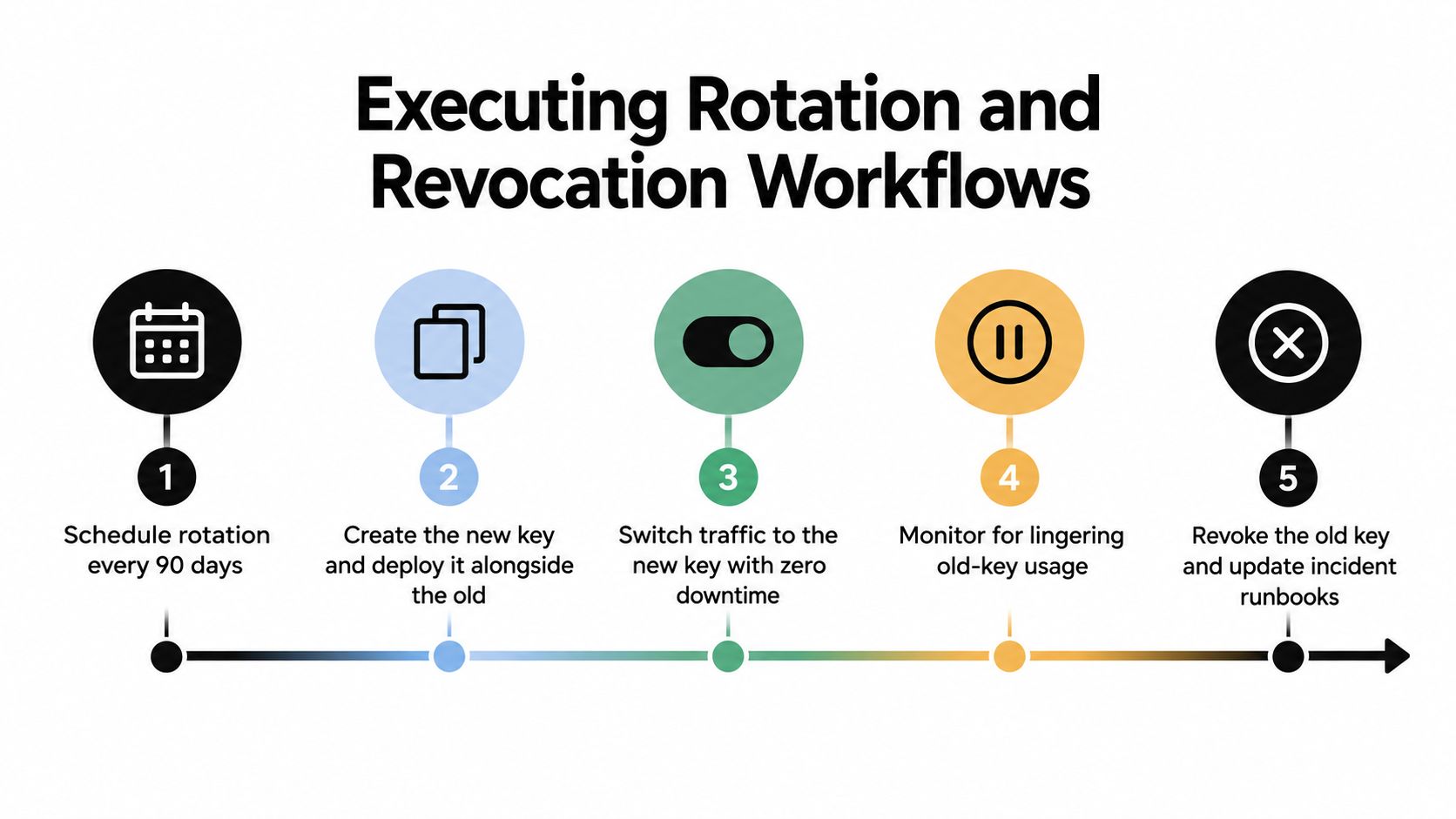
Rotation fails when teams treat it as a calendar reminder instead of a deployment capability. A reliable process lets the application accept a replacement before the old credential is disabled, monitors whether any consumers still depend on the old value, and revokes it after the migration completes.
For services that support overlapping credentials, use this sequence:
- Create the replacement key with the same or narrower approved permissions.
- Store it in the secret manager under a versioned or updateable secret.
- Deploy consumers so they can authenticate with the replacement.
- Shift traffic and watch authentication failures, error rates, and old-key usage.
- Disable or revoke the previous key.
- Update ownership records and the incident runbook.
The dual-key period prevents a restart race from taking down a service. It also gives operators a controlled rollback path. Don't leave both credentials active indefinitely. The overlap should have an owner and an explicit end condition.
Automate normal replacement
The API security best-practice guidance from Wiz describes short-lived or regularly rotated credentials as a stronger pattern, with explicit expiry windows such as 30 days for high-security environments and 90 days for standard environments. Those windows are starting points for policy design, not substitutes for risk assessment. A credential used by a public-facing AI agent may deserve a shorter lifetime than an internal batch worker.
Automate the routine path:
- Schedule creation: Have a job request or generate the replacement before expiry.
- Update the secret: Write the new value without exposing it to the job log.
- Roll out consumers: Restart or refresh services in a controlled order.
- Test authentication: Send a safe health request using the new credential.
- Revoke the predecessor: Disable the old value after usage falls away.
Revoke immediately when risk changes
Rotation is planned. Revocation is an incident response action. Disable a key when it appears in a public repository, is found in plaintext logs, is associated with an unexpected workload, or belongs to a departing employee's integration that no longer needs access.
Record the event, identify affected consumers, preserve relevant audit logs, and issue a replacement only after the compromised credential is inactive. If the key was broadly shared, assume every system that held it may have copied it. Search deployment configuration, build artifacts, notebooks, and worker settings before declaring recovery complete.
Centralizing Access with a Unified Gateway
Distributed AI systems often begin with one provider key and end with a collection of credentials spread across application servers, evaluation jobs, fallback workers, and routing services. Each provider introduces its own authentication format, quota behavior, billing console, and incident procedure. The integration code then carries provider-specific branches for retries and failover.
A unified gateway changes the trust boundary. Your applications authenticate to one endpoint, while the gateway holds and manages upstream provider access. With a compatible chat-completions interface, existing clients can usually change the base URL and credential configuration without rewriting request and response handling. Provider-prefixed model names can identify the upstream route while keeping the application's request shape consistent.
The operational trade-off is concentration. If the gateway key is shared everywhere, you've recreated the original problem at a different layer. Issue separate gateway keys for development, staging, production, services, or tenants where appropriate. Apply per-key limits, keep the values server-side, and revoke only the affected credential when a workload is retired or compromised.
A gateway can also centralize controls that are otherwise fragmented:
- Failover: Route around upstream degradation and retry eligible transient failures without making every application implement different provider logic.
- Metering: Record model, provider, input and output usage, latency, time to first token, and request cost in one operational view.
- Billing: Consolidate provider activity into a shared balance and invoice workflow.
- Auditability: Associate traffic with a gateway key that represents a defined environment or service.
- Migration: Add or replace upstream models without distributing new provider credentials to every application.
For teams evaluating this pattern, enterprise gateway and security information can help clarify the controls required around access, observability, and organizational use. The gateway should complement, not replace, application authorization, tenant isolation, queue controls, and incident response.
Openbase provides a unified API gateway for accessing multiple language-model providers through one OpenAI-compatible interface, with separate API keys, per-key limits, automatic failover, and granular usage logging. If you're replacing scattered provider credentials across distributed AI services, visit Openbase to evaluate whether its centralized key and observability model fits your production workflow.