
You're in a planning meeting, someone asks which regions grew fastest last quarter, and the room goes quiet. The data's in your warehouse, but nobody wants to wait two days for an analyst to write the query. That's the moment teams reach for a natural language query box, and it's also where they often get a confident answer to a slightly different question.
Table of Contents
- What a Natural Language Query Actually Does
- Three Architectures and What Each Needs
- Why Schema Context Decides Query Accuracy
- Where Ambiguous Business Language Breaks Answers
- When to Ask a Follow-Up Instead of Guessing
- Trust Checks Before Acting on an Answer
- Choosing Your Approach and Testing It First
What a Natural Language Query Actually Does
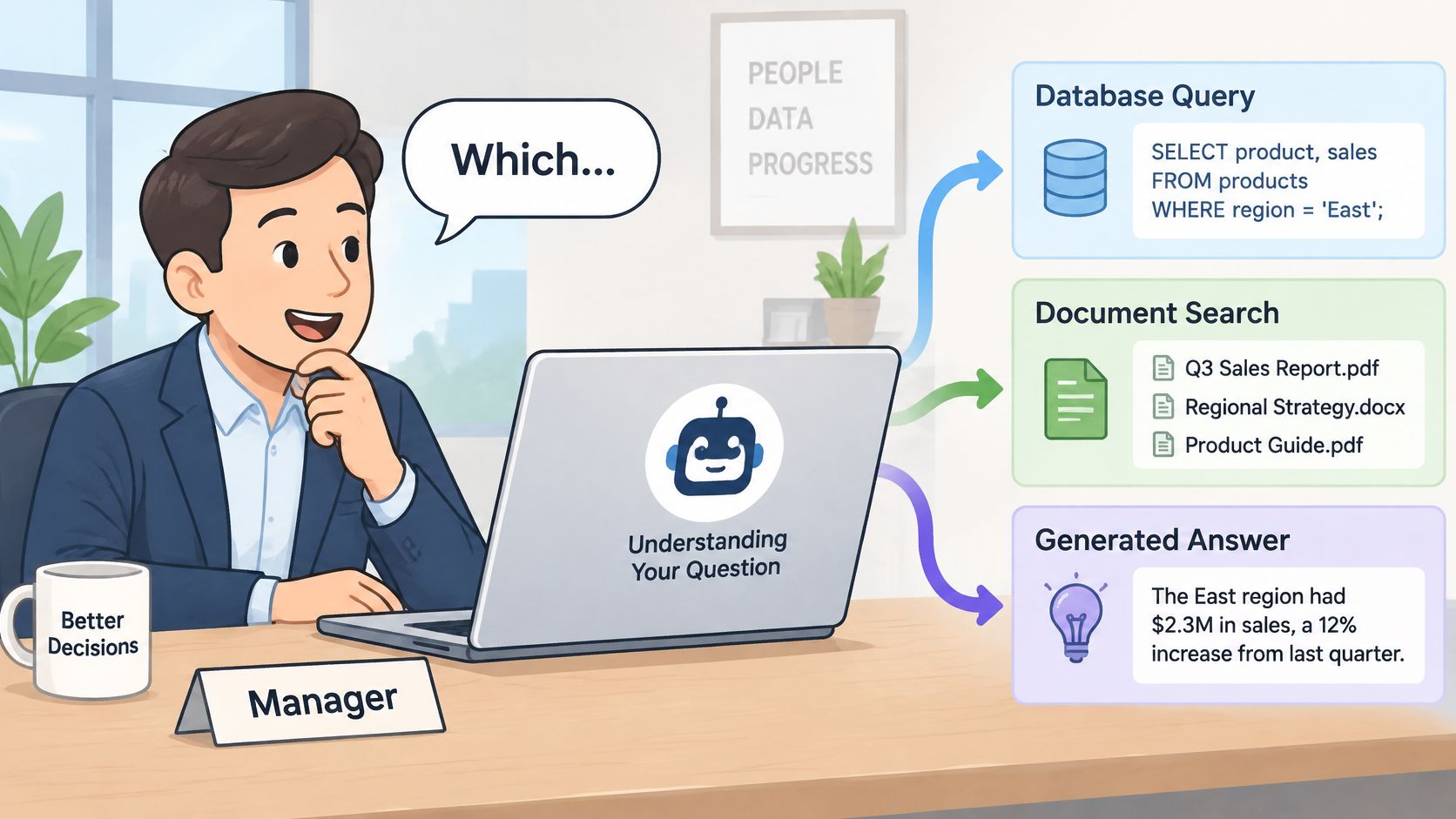
A manager types, "Which regions grew fastest last quarter?" It sounds simple. Before a system can answer, it has to decide what growth means, which calendar applies, what counts as a region, and which tables hold the numbers. A natural language query is a question in everyday language that a system turns into a database query, a document search, or a generated answer based on retrieved material.
Think of a librarian. You can ask, "Do you have the book about the ship that sank in the Atlantic?" and they'll interpret what you mean. A traditional catalogue won't. It wants an exact title, author, or code. Natural language systems try to do the librarian's interpretive work, not just match your keywords.
A Problem Older Than Modern Models
This isn't new. A review of 47 natural-language database-querying frameworks published between 2008 and 2018 traces the field to the 1970s, when systems such as LUNAR and LADDER let nontechnical users retrieve information without formal database commands. The same review found that 70% of the surveyed work focused on translating natural-language requests into SQL. That's why text-to-SQL remains the form widely pictured first.
It also explains a persistent gap. Most of those frameworks supported English only, so multilingual support today isn't a cosmetic extra. It's a meaningful capability for teams whose users don't work in English.
Meaning Is the Hard Part
Grammar was never the main obstacle. Meaning is. The word "growth" might mean revenue, orders, or new accounts. "Last quarter" might mean a calendar quarter or your fiscal quarter. The system has to resolve those choices before any code runs.
Practical rule: Treat every natural language query as three jobs, finding relevant material, interpreting the question, and checking the answer before anyone uses it.
If you keep those three jobs separate in your mind, the design choices that follow get much clearer. Different architectures handle them in different proportions, and each fails in a characteristic way.
Three Architectures and What Each Needs
These three approaches often get blurred together in product marketing. They shouldn't be. They take different inputs, return different outputs, and need different preparation. If you're wiring up your first prototype, the Openbase quickstart guide covers the basic model call, but the architecture choice below decides whether that call has anything useful to work with.
Natural language query architectures compared
| Approach | What it does | What it needs | Best for | Main risk |
|---|---|---|---|---|
| Semantic search | Matches question and documents by meaning and returns the nearest results | Indexed text and embeddings | Finding relevant passages, tickets or records | Returns related material rather than a direct answer |
| RAG | Retrieves passages, then has a model write an answer grounded in them | Document corpus, retriever, grounding prompt, citations | Questions answered from policies, manuals or knowledge bases | Plausible answer that the retrieved sources do not fully support |
| Text-to-SQL (parsing) | Translates the question into SQL and runs it on tables | Schema, column descriptions, sample values, read-only role | Analytics and counts over structured data | Wrong joins, ambiguous terms, or a valid query answering the wrong question |
Semantic Search Finds, It Doesn't Answer
Semantic search embeds your question and your documents into the same vector space, then returns the closest matches by meaning. Ask for tickets about login failures and you'll get tickets that discuss authentication problems even if they never use the word "login." What you won't get is a composed answer. You get candidate material, and a human or another system still has to read it.
RAG Retrieves Then Writes
RAG, or retrieval-augmented generation, adds a writing step. It retrieves passages first, then asks a language model to answer from those passages, ideally with citations you can check. "What is our refund window for enterprise contracts?" suits RAG because the answer lives in policy text, not in a computation. The risk is subtle. The model can produce a fluent sentence that goes a little beyond what the retrieved passages say.
Parsing Computes Over Tables
Parsing, usually text-to-SQL, translates "How many active accounts signed up in March?" into SQL, runs it against structured tables, and returns computed results. It needs more than table names before it works well. You'll want column descriptions, sample values, relationships between tables, and a read-only database role so a generated query can't modify data.
A valid query isn't the same as a correct answer. Parsing systems fail most dangerously when the SQL runs cleanly and returns the wrong number.
Search gives you related material instead of an answer. RAG can write past its sources. Parsing can answer the wrong question perfectly. Those three failure modes shape every safeguard worth building.
Why Schema Context Decides Query Accuracy
Give a model a question and nothing else, and it's guessing. It doesn't know your table names, your column meanings, or how your company spells its own regions. The numbers from one benchmark make that guesswork visible, step by step.
On the Spider development benchmark, a Codex-based system evaluated on Spider achieved only 8.3% execution accuracy when given the question alone, rising to 56.8% with schema documentation, 59.9% with table definitions and foreign-key information, and 67.0% when supplemented with example rows.
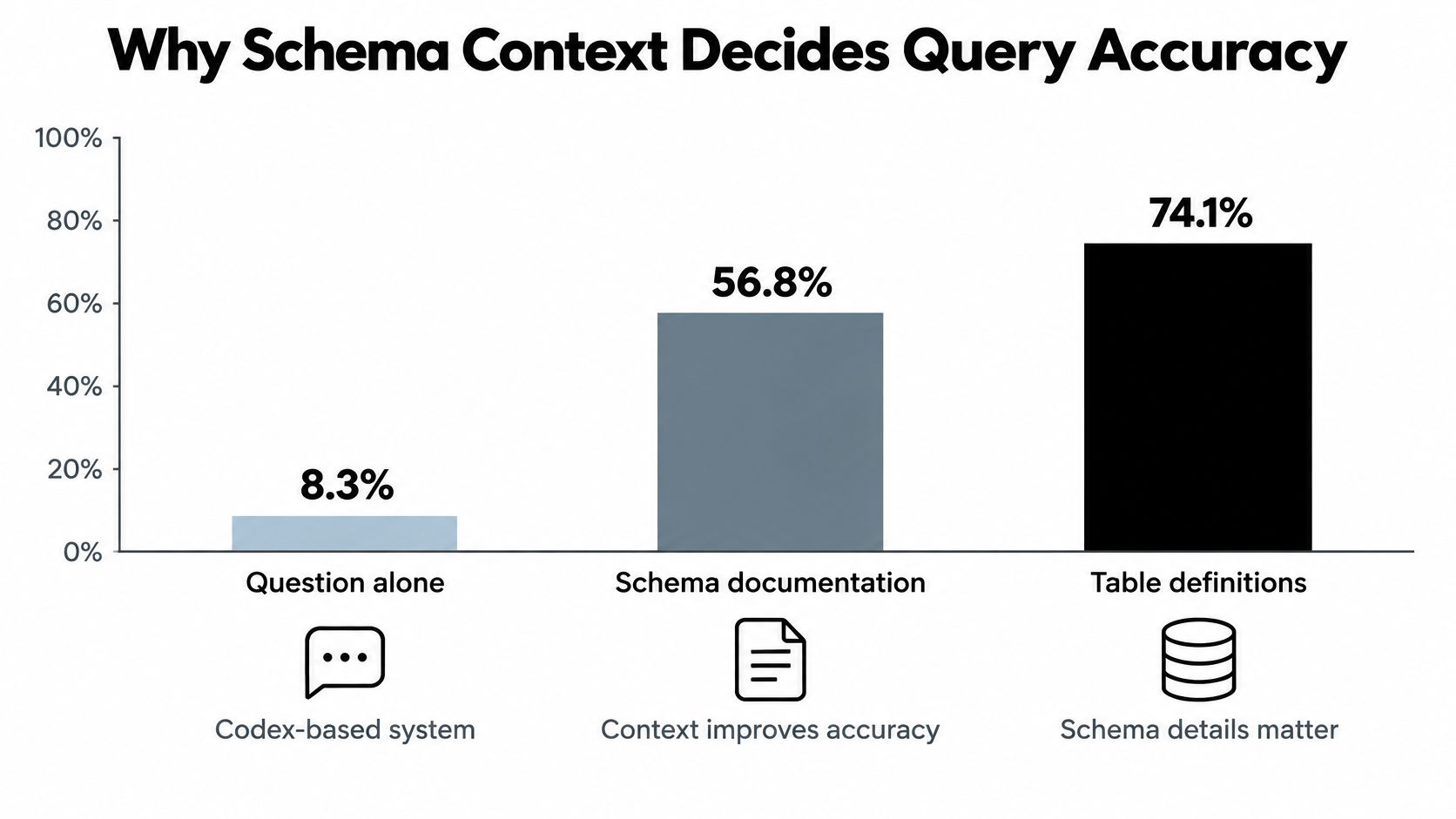
Execution accuracy by context supplied to the model
| Context supplied | Execution accuracy |
|---|---|
| Question only | 8.3% |
| Schema documentation | 56.8% |
| Table definitions and foreign-key information | 59.9% |
| Table definitions, foreign keys and example rows | 67.0% |
Reading the Ladder One Rung at a Time
The first jump is the biggest. Moving from a bare question to schema documentation tells the model which tables and columns exist at all. Without that, it's inventing names and hoping yours match.
Table definitions and foreign keys add join paths. A model that knows orders.customer_id links to customers.id doesn't have to guess how to connect an order to a customer. Example rows then resolve value formats, which sounds minor until it breaks a query. Say someone asks about churn by region. If your region column holds "EMEA" and the model filters on "Europe," the query runs and returns nothing useful. A few sample rows would've shown the actual values.
The Production Pattern
Don't send your entire catalogue. Send a pruned schema graph containing the tables relevant to the question, their foreign-key relationships, short column descriptions, and carefully chosen value examples. That's more useful than dumping hundreds of tables into the prompt and less likely to confuse the model.
- Pruned schema graph: Only the tables a question could plausibly need.
- Column descriptions: One plain sentence on what each column means.
- Value examples: Real distinct values for columns people filter on, like region or status.
Why Execution Accuracy Is the Right Yardstick
Execution accuracy checks whether the query returns the correct result, not whether its text matches a reference query character for character. That matters because two different SQL statements can be structured differently and still return the same correct answer. Exact-string matching would mark one of them wrong.
Before any generated SQL runs, validate it. Use a read-only role, set query-cost limits so a bad join can't scan a huge table for minutes, and apply result-shape checks that confirm the output has the columns and types you expected. Context gets you accuracy. Validation keeps that accuracy safe.
Where Ambiguous Business Language Breaks Answers
The most troubling failure looks like success. The SQL is valid, it runs without errors, and it returns a neat number. The number just answers a different question than the one the person thought they asked.
The image below captures that moment, when two reasonable queries produce two different revenue figures and a person has to work out which one they meant.
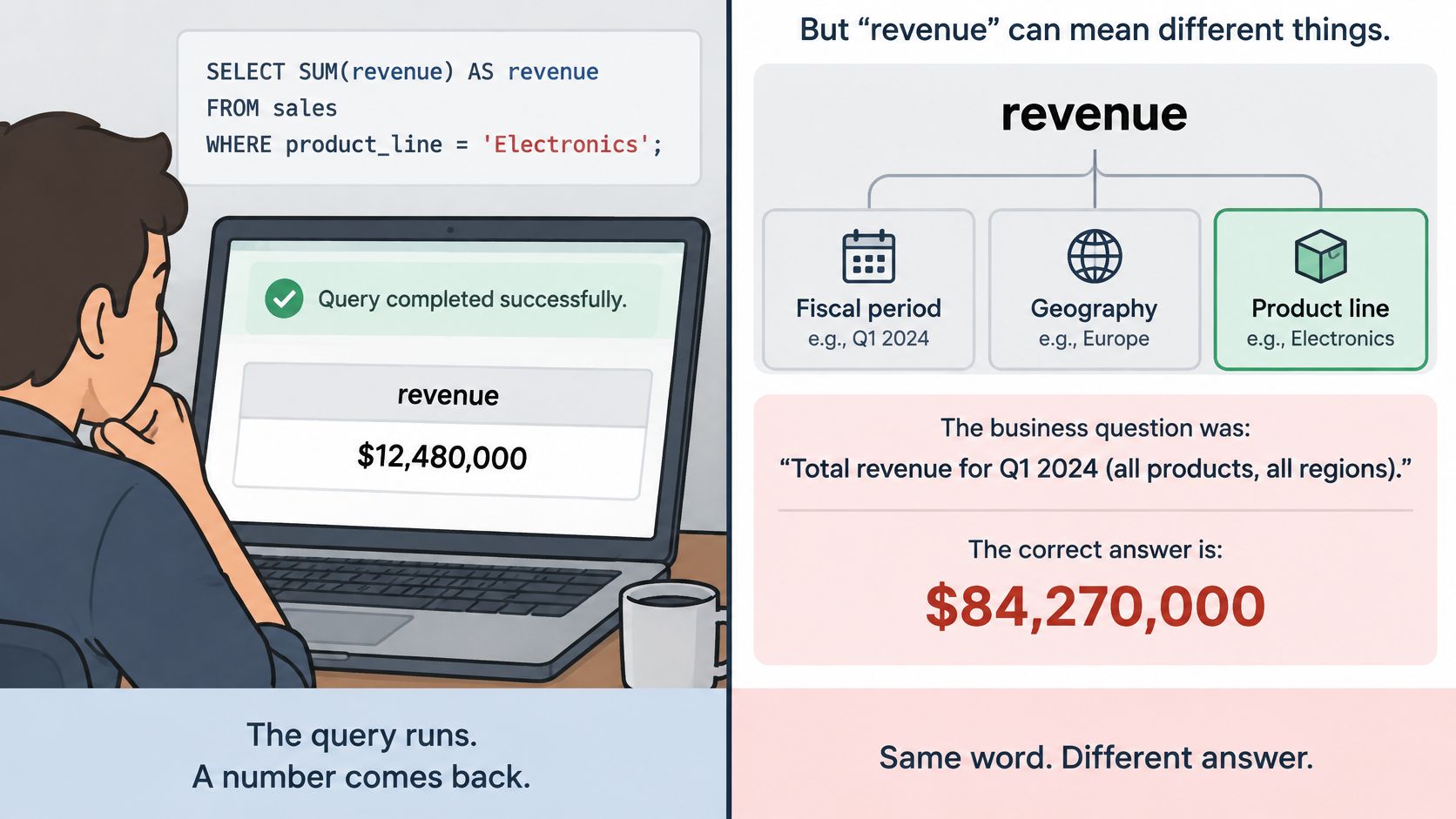
Take revenue. It can be split by fiscal period, by geography, or by recognized versus booked accounting basis. Each reading is defensible. Each returns a different total. A study of schema-induced ambiguity in natural language interfaces identifies cases where a phrase can plausibly refer to several tables, columns, joins, or precomputed aggregates, even when the generated SQL is syntactically valid.
More Context Doesn't Always Help
Here's the part that surprises teams. Adding schema context can multiply the problem. If your warehouse has three columns that could mean revenue, two customer tables, and a precomputed monthly aggregate, showing all of them to the model gives it more plausible interpretations, not fewer. Overlapping names and multiple valid join paths turn a bigger prompt into a bigger menu of wrong choices.
Ambiguous phrases and the clarification each one needs
| Ambiguous phrase | Possible readings | Clarifying question |
|---|---|---|
| Revenue | Fiscal versus calendar period, region, recognized versus booked | Which period and accounting basis should I use? |
| Customer | Billing account, individual user, or parent company | Should I count accounts or people? |
| At risk | Usage drop, churn model, or overdue invoices | Which risk signal defines at risk? |
| Last quarter | Calendar quarter or fiscal quarter | Calendar or fiscal quarter? |
| Active | Logged in within 30 days or paid within 90 days | Which activity definition applies? |
Ambiguity isn't only vocabulary. Pronouns like "those accounts," nested clauses, and unstated filters all force the system to fill gaps. A question about "top customers" assumes a ranking metric and a time window that nobody stated.
The short walkthrough below is useful for seeing how quickly a plain question branches once schema choices enter the picture.
Benchmark scores won't warn you about your own warehouse. Spider contains cross-domain questions over 200 databases, but success there doesn't guarantee reliability on a messy production schema with inconsistent terminology built up over years. Your schemas carry history. Benchmarks don't.
When to Ask a Follow-Up Instead of Guessing
A single-shot answer feels fast. For vague questions, it's the wrong design. Research on natural language interfaces to databases argues that effective systems need an interactive human-in-the-loop process for clarification, correction, and refinement rather than one attempt at a final answer. Simple keyword-style questions are comparatively manageable. Complex ones with structural dependencies aren't.
Triggers for Asking Rather Than Answering
Build explicit rules for when the system must stop and ask.
- Low confidence across readings: Two interpretations score closely and neither clearly wins.
- Different results from different readings: The candidate queries don't return the same numbers.
- Missing time period or filter: The question needs a window or scope nobody specified.
- High-impact use: The answer will drive spending, staffing, or a customer commitment.
A Clarification Done Well
Say a user asks, "Which customers are at risk?" That question hides decisions about the time period, the definition of customer, a revenue threshold, a churn model, and the source tables. No amount of syntax conversion settles those.
A weak system picks one reading without asking. A better one replies, "Should I count accounts with no login in 60 days, or accounts that downgraded this quarter?" That question is short, it offers concrete options, and it exposes the assumption the system was about to make. The user picks one, and now the definition is on the record.
State your interpretation before you defend your answer. Users can correct a stated assumption in seconds. They can't correct one they never saw.
Keeping Context Without Drifting
Multi-turn conversations create a subtle risk. The user confirmed "active means logged in within 30 days" three turns ago, then asks a follow-up, and the model shifts to a different definition. Prevent that with deliberate product choices.
- Show the interpreted question: Restate it in plain language with the tables and filters used.
- Make query logic inspectable: Let users open the generated SQL or retrieval sources.
- Carry confirmed definitions forward: Reuse them explicitly instead of re-deriving them each turn.
- Never change a filter without notice: If a follow-up alters scope, say so in the reply.
None of this comes free with a better model. Model choice, failover, and observability don't resolve semantic ambiguity on their own. Clarification is a product decision, and your team has to design it on purpose.
Trust Checks Before Acting on an Answer
A query that runs tells you almost nothing about whether the answer is right. Speed makes that gap more dangerous, because people act on fast answers before doubt has time to form.
A controlled user study of an LLM-based natural-language interface found that it reduced task completion time by 10 to 30% and increased accuracy from 50% to 75%, yet reported error rates of 10 to 25% remain consequential for business decisions. A separate large evaluation in that discussion found that only 41.9% of AI-generated search overviews were fully grounded, even though approximately 89% of claims were broadly or clearly supported.
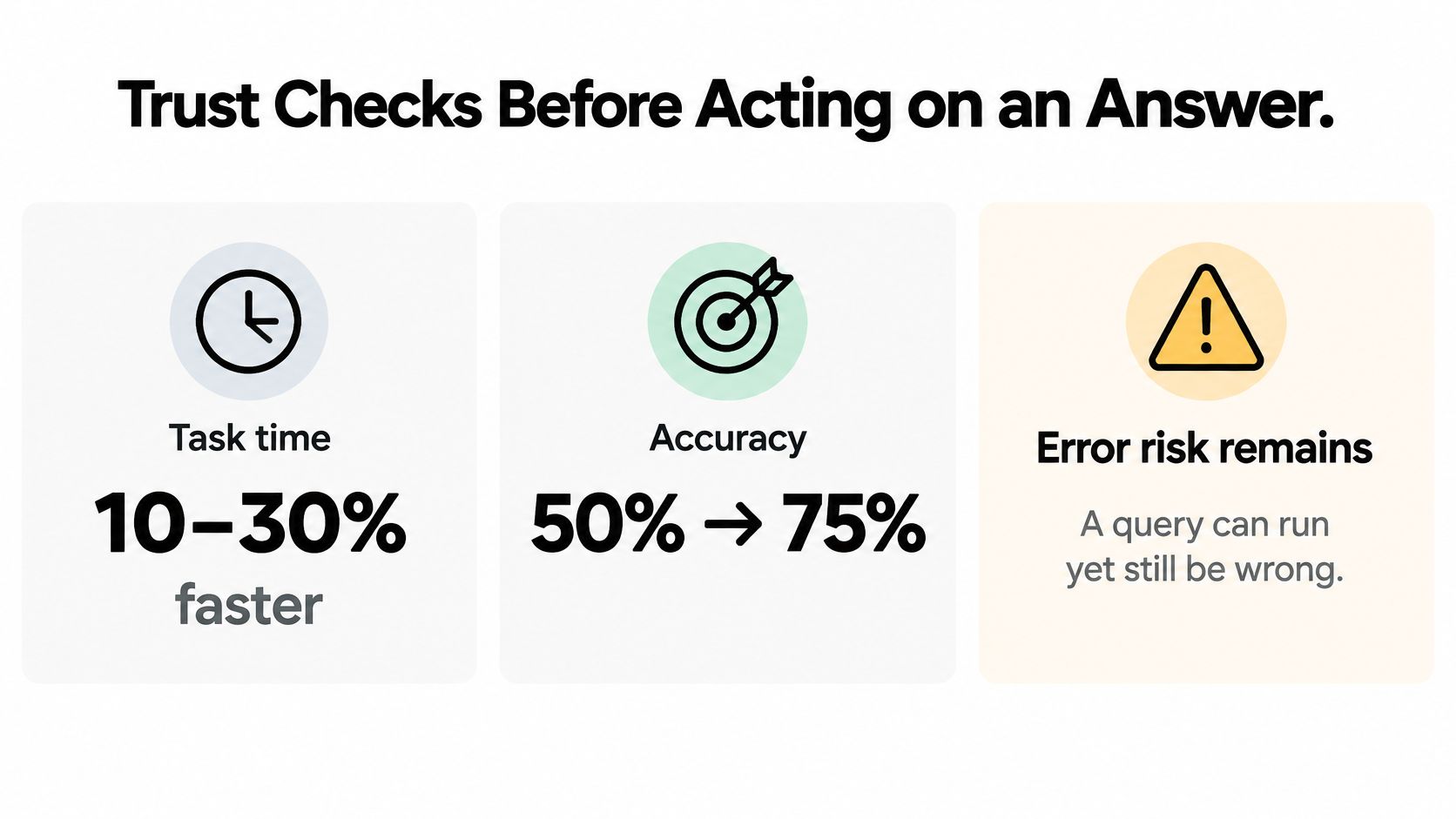
Read those numbers together. People finish faster and get more right, but a meaningful share of answers are still wrong, and not every claim in a generated answer traces back to a source. When users accept plausible output without checking filters, joins, freshness, or source coverage, faster querying increases organizational risk instead of reducing it. If you're building the error handling around this, the Openbase error reference covers request-level failures, but the checks below target a different class of problem, answers that succeed technically and fail semantically.
Checks That Catch Plausible but Wrong
Answer-level trust checks and what to log
| Check | What it catches | Signal to log |
|---|---|---|
| Provenance | Answer drawn from the wrong or unapproved table | Source tables and selected schema elements |
| Query plan visible | Wrong join, wrong filter or double counting | Generated SQL and execution plan |
| Row count | Empty results or inflated totals | Returned row count against the expected range |
| Freshness timestamp | Stale data presented as current | Last-updated time of each source |
| Confidence signal | Low-certainty interpretation accepted silently | Ranked interpretation score and chosen reading |
| Sampled validation | Plausible but wrong totals | Share of answers checked by a person and correction rate |
Log the natural-language request, the selected schema elements, the generated SQL, execution latency, the returned row count, and the user correction rate. Conventional SQL-error monitoring won't surface semantic failures, because nothing technically errored. Your logs have to capture meaning, not just mechanics.
Escalation for Decisions That Matter
Set a threshold. Answers that will move money, change staffing, or go to a regulator get sampled human validation before anyone acts. On a regular schedule, take a sample of answered questions and compare the system's output against a manual calculation done independently. Track the correction rate over time, per model and per question type.
Token cost and latency dashboards are useful. They're insufficient on their own. Pair them with semantic-quality metrics across models and providers, or you'll know exactly what a wrong answer cost and how fast it arrived, and nothing about whether you should've believed it.
Choosing Your Approach and Testing It First
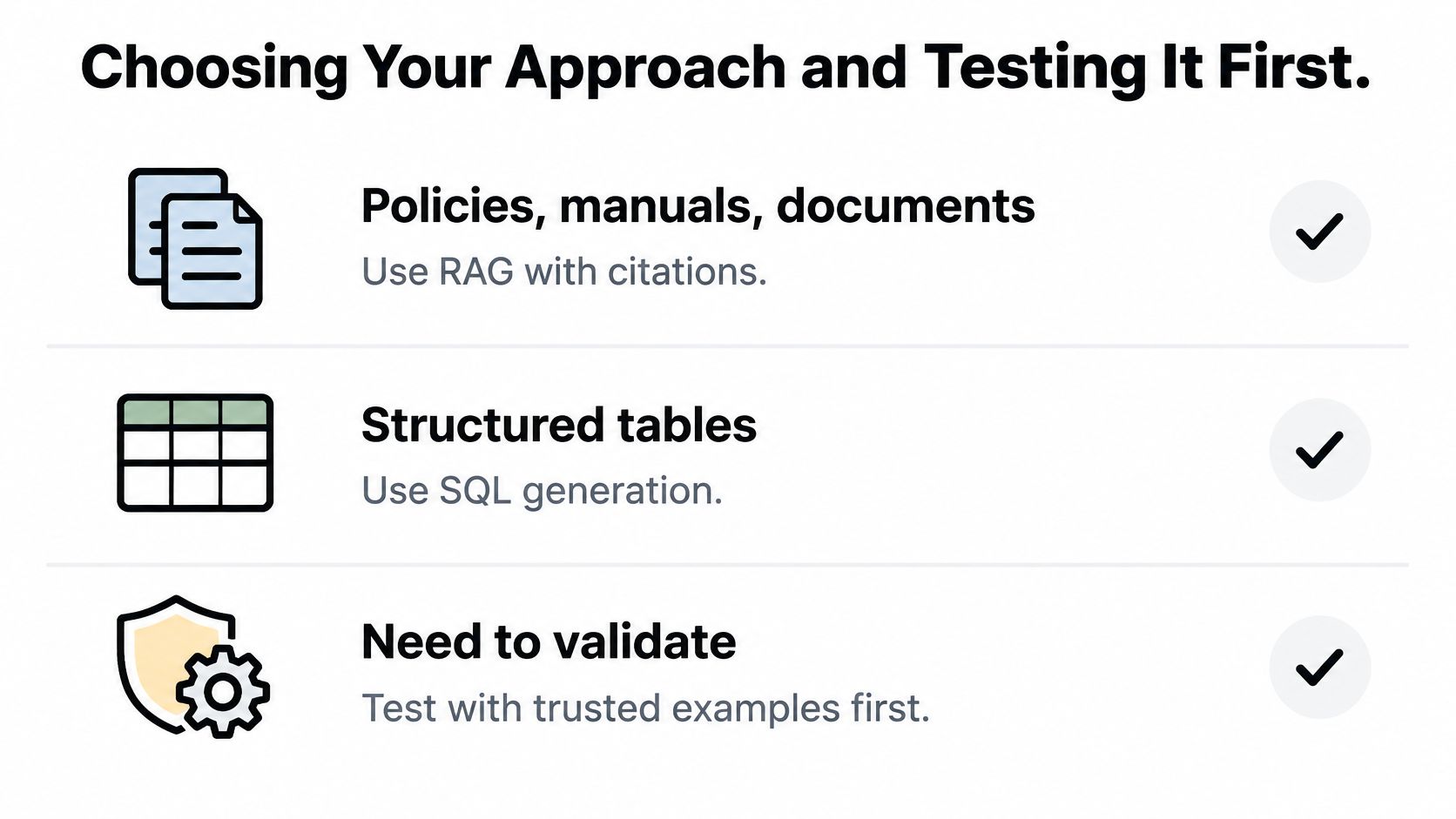
Match the approach to where the answer lives. That single question settles most architecture debates before they start.
A Short Selection Checklist
- Policies, manuals, or documents: Use RAG with citations, so readers can verify each claim against its source passage.
- Counting or summarizing structured tables: Use text-to-SQL behind a read-only role, with schema context and validation before execution.
- Finding similar tickets or records: Use semantic search, and present results as candidates rather than conclusions.
- Questions spanning documents and tables: Build a hybrid pipeline that retrieves text and computes over tables, then merges both with provenance attached.
- Figures driving money, staffing, or compliance: Add a clarification step and a sampled human check regardless of approach.
Test on Your Own Questions First
Vendor demos use clean schemas and friendly questions. Your users won't. Build a small evaluation set before you commit.
- Collect real questions: Pull 50 to 100 from support logs, analyst requests, or internal chat threads.
- Write expected answers: Have someone who knows the data produce the correct result for each one.
- Run every candidate approach on the same set: Same questions, same data, same scoring.
- Record four numbers: Execution accuracy, user correction rate, latency, and cost per question.
When you compare models for the generation step, the Openbase models documentation lists what's available through one endpoint, which makes running the same question set across providers practical. Request logs will tell you cost, latency, and availability per run. They won't tell you whether the answers were right. Score semantic accuracy separately, against your expected answers, every time.
Do one thing this week. Export 50 real questions your team asks, write the expected answer for each, and hold every future model or architecture change accountable to that set before it ships.
Ready to test how different models handle your own 50 questions without juggling separate provider accounts? Openbase gives you one OpenAI-compatible endpoint for models from multiple providers, with automatic failover and per-request logs of cost, tokens, and latency, so you can compare runs side by side while you score accuracy against your expected answers.