
A support agent searches for a clause known to be in the contract library and sees “no results found.” The same message can mean the clause is absent, a filter excluded it, or the search service failed. Without a reason code, neither the user nor the team knows what to do next. Classify each empty result by cause, then direct the next action accordingly.
An Oria library-discovery study analyzed 36,221 distinct zero-result queries. Among 50 failed searches, 22% contained pasted citation references, and 20% involved misspellings or reference errors. Some documents were available despite the failed searches, so an empty result alone does not establish a content gap. If an LLM request times out, errors, or returns no output, classify it as an operational failure, not missing content.
Table of Contents
- Why Searches Come Back Empty
- How to Diagnose an Empty Result Step by Step
- Telling a Degraded Service From an Empty Answer
- Messages That Keep Users Searching
- Fallback Strategies Ranked by Risk
- Tracking Empty Results as a Trend
- Confirm the Empty-State Fix Before Release
Why Searches Come Back Empty
| Cause | Typical signal | First check |
|---|---|---|
| Terminology mismatch | The query uses words absent from the index, such as “refund” where the catalog says “chargeback” | Compare the query against the controlled vocabulary and the titles users click |
| Pasted citation or reference | A long query contains author names, years, and journal fragments | Strip the query to title keywords and rerun it |
| Typo or punctuation | A misspelled term or stray characters change tokenization | Run spelling correction on the query alone |
| Over-constrained filters | The result count drops to zero when a filter is added | Remove filters one at a time and note which removal restores results |
| Content genuinely missing | No match appears under reformulation, and the topic area is known to be thin | Check catalog or corpus coverage for the topic |
| Permission or scope filter | The source record exists but isn't visible to this user or tenant | Run the same query as an admin and as the affected tenant |
| Stale index or cache | The record appears in the source system but not in search | Compare the index with the source and check cache age |
| Upstream LLM failure | The request times out, returns an error, or completes with no output tokens | Check the provider, status code, and completion state in request logs |
Several of these causes look identical on screen. A permission rule can hide a record just as effectively as missing content, and a stale index can make an available record appear absent. The signals in the logs matter more than the message on the page.
LLM applications add another trap: an empty-looking response can be an operational failure, not an empty search. A timeout, a rate-limit response with no output, and a completed retrieval with no matching records need different handling. Label the event before changing the query, index, or interface. Each cause needs its own fix.
How to Diagnose an Empty Result Step by Step
A support agent searches for invoice 4471 and gets no results, although the invoice exists in the billing system. Start by tracing the request from the source record through the final result set. Changing relevance settings or adding synonyms before checking that path can hide the actual fault.
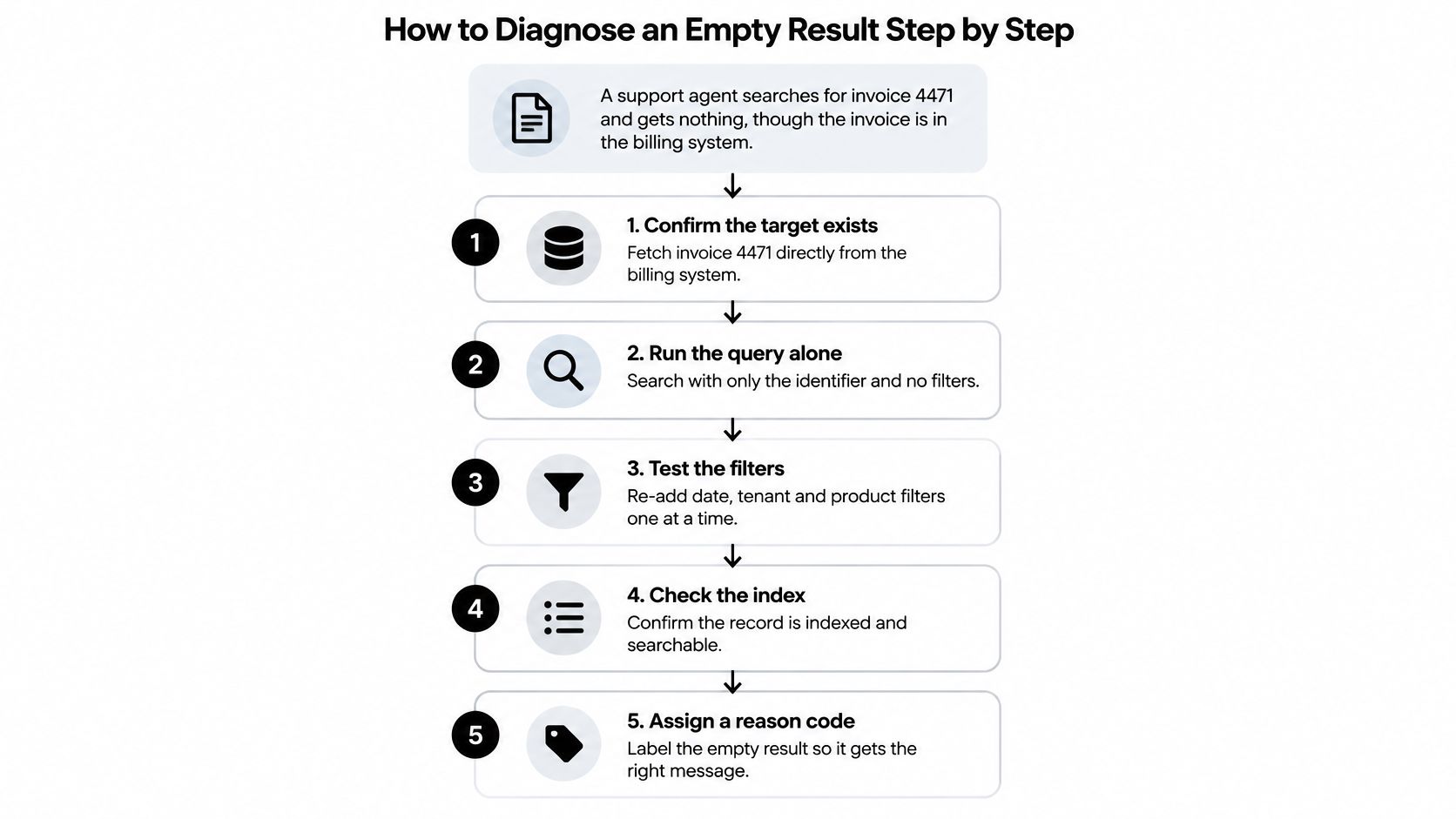
Confirm the target exists. Fetch invoice 4471 directly by ID from the billing system. If the source cannot return it, search cannot find it.
Run the query alone. Search for the invoice identifier without filters or pagination. This establishes whether the record is searchable before application logic is added.
Add predicates one at a time. Log each field name, data type, normalization, and operator. A date filter that compares a string with a timestamp, for example, can reduce results to zero. The predicate that changes the count points to the likely cause.
Compare user and admin access. Run the same query as an administrator and as the affected user or tenant. If only the administrator sees the invoice, check authorization and scope rules before changing the query.
Check pagination. Compare the requested page offset with the total result count. An offset beyond the available results can make a matching query appear empty.
Inspect indexing and cache state. After ruling out query logic, access rules, and pagination, compare the indexed record with the source record and check cache age. A stale or incomplete index can hide a record that exists in the source, so verify indexing and cache state rather than assuming the index affects only latency.
Assign a reason code. Record whether the event is zero matches, hidden by authorization, invalid scope, page out of range, or stale index. Use distinct codes to determine the next action. CloudBase's database troubleshooting guidance recommends simplifying conditions incrementally, checking field names and types, and validating security rules.
Log the query shape, filters, field types, pagination offset, authenticated principal, source-record check, result count, and reason code. For LLM-backed search, capture the provider, status code, completion state, and output-token information too. An empty-looking response caused by a timeout or failed completion is an operational failure, not a content gap. Keep the same reason-code taxonomy in dashboards and the error reference documentation so engineers can trace each user-visible result to its cause.
Telling a Degraded Service From an Empty Answer
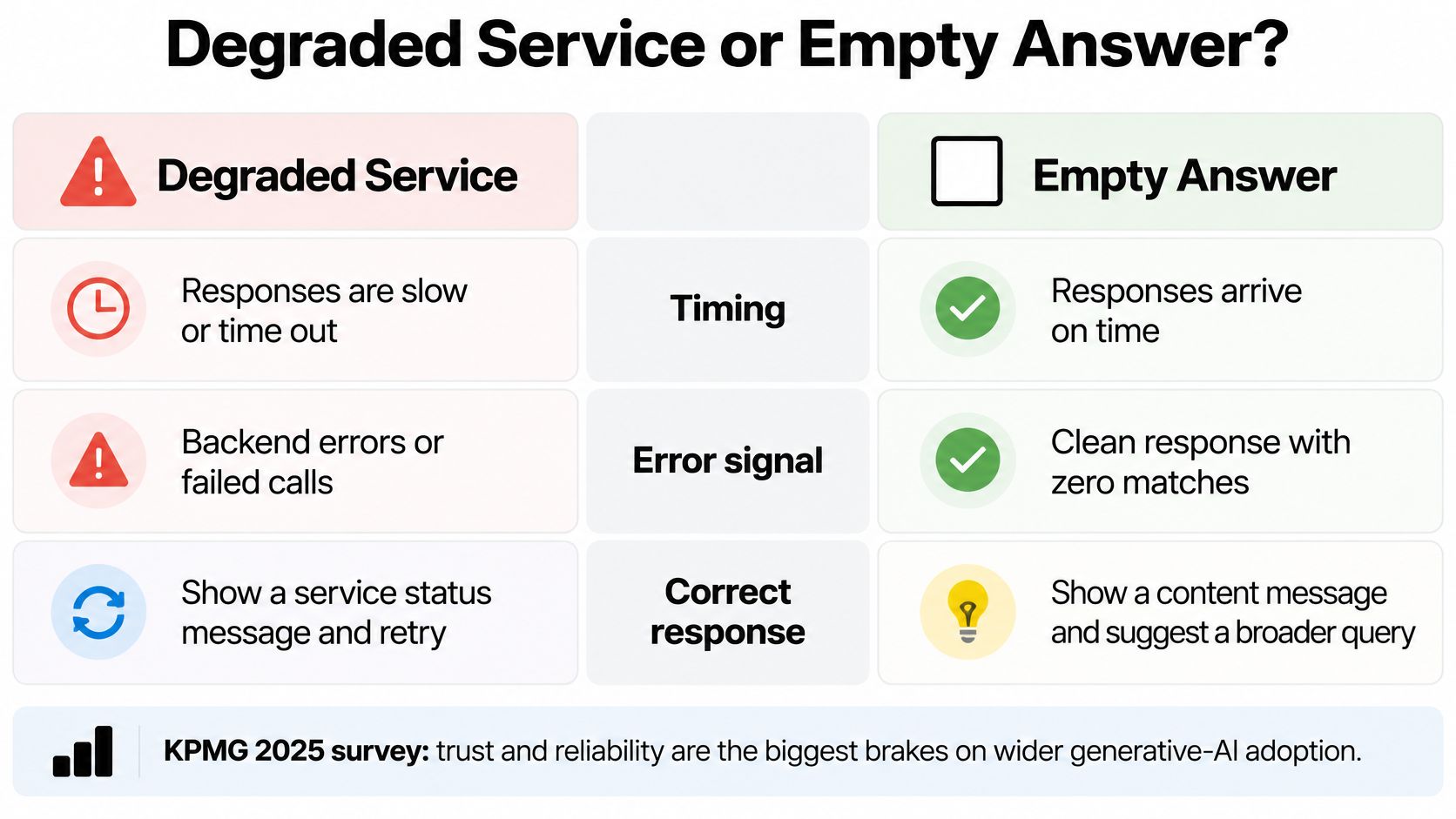
A completed search with no matching records is a valid empty result. A request that times out, returns an error, or ends without a completed answer is an operational failure. Treating both cases as “no results” mislabels service problems as content gaps and leads to the wrong next action. Assign every empty-looking response a reason code, then route recovery by cause.
As generative AI use grows, reliability matters to adoption. KPMG's generative-AI survey lists trust and reliability among the concerns slowing adoption. For each request, record the provider, status code, time to first token, completion state, and whether output tokens were produced.
| Signal | Action | Reason |
|---|---|---|
| 429, 408, 5xx, or connection timeout | Retry within a defined budget, then fail over to another provider serving the same model if appropriate | The request may have failed because the service is degraded |
| 400 or 404 | Don't retry automatically; fix the request or target | The request itself is invalid or refers to an unavailable resource |
| Empty completion with zero output tokens | Record as an operational failure, not an answer | The request didn't complete |
| Clean empty retrieval | Say that nothing matched and offer a visible, reversible option to broaden the search | The request completed with no matches |
Retries carry trade-offs. A repeated tool call can trigger the same side effect unless protected by an idempotency key. A fallback model may return a different answer, while retries can add cost or repeat work without improving the result. Set a retry budget and assign a reason code that distinguishes a clean empty retrieval from a provider or completion failure.
The application remains responsible for safe tool calls, even when a gateway handles provider-specific retries. Use the rate-limit guidance to inform retry behavior, and account for each request's side effects before repeating it.
Messages That Keep Users Searching
A shopper searches for “refund” in a catalog that uses “chargeback.” A generic “no results found” message leaves them to guess. Assign every empty result a reason code, then let that code determine the message and next action. This distinguishes a terminology mismatch from a restrictive filter, missing content, permission limits, or a failed service.
- Terminology mismatch: Show the searched term and suggest the catalog's wording: “No matches for ‘refund.’ Try ‘chargeback,’ the term used in this catalog.”
- Over-constrained query: Identify the filter that removed the matches and offer a clear way to change it. Explain the effect before changing anything.
- Missing content: Say the item isn't available, then point to relevant browse paths or a request option.
- Permission or scope filter: Tell users that no results are available to their account. Don't disclose whether hidden records exist.
- Operational failure: Say the assistant couldn't complete the request and offer a retry. An LLM call that returns no output because of a timeout or provider error is a service failure, not evidence that the content is missing.
For example: “No invoices match the current date range. Remove the date filter to search all available invoices.” This tells users a search completed and names a safe next action. If the service failed, say: “The assistant couldn't complete this request. Try again.” Don't frame an incomplete request as a content verdict.
The wording should match the reason code, because users act on what the message says. A false suggestion to broaden a permission-limited search can expose the wrong recovery path, while calling a failed request “no matches” sends people looking for content that may still exist. Interaction-pattern guidance
Lowering the raw empty rate can still make search worse if irrelevant or invented answers fill the gap. The goal is a truthful explanation and a recovery path suited to what happened, not a result at any cost.
Fallback Strategies Ranked by Risk
A user searches for “ML” and gets no matches. Automatically expanding it to “machine learning” may help, but in a catalog where “ML” means something else, the fallback sends the search in the wrong direction. Assign every empty result a reason code, then choose a fallback that fits that cause. Treat an assistant or retrieval failure that looks like an empty answer as an operational failure, not evidence that the content is missing.
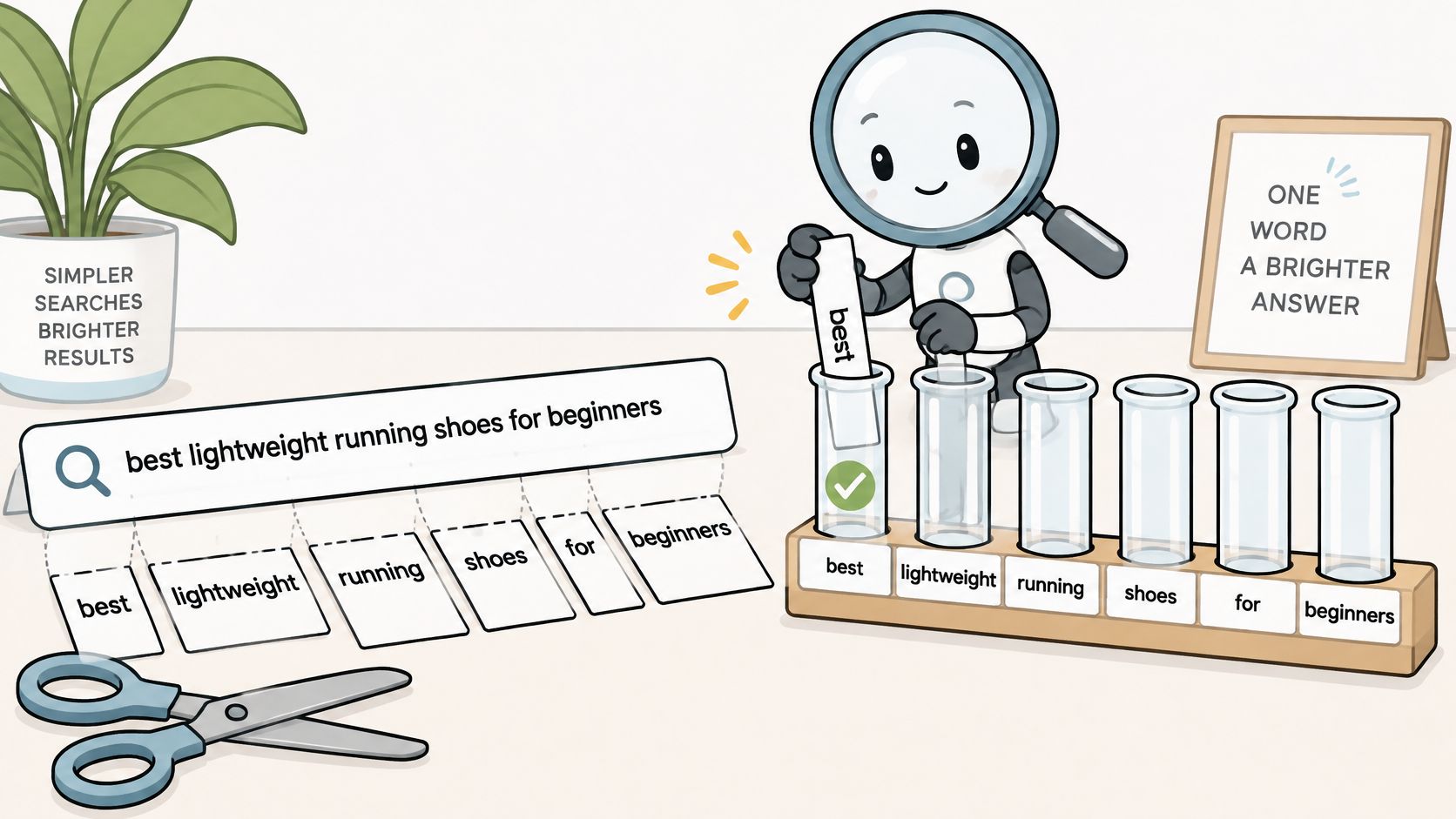
Start with low-risk candidates, such as spelling correction and cautious phrase relaxation. Keep the original query available, preserve core entities and constraints, and disclose any change. Never remove security, tenant, date, or product filters automatically. A fallback should recover relevant results, not merely reduce the empty-result rate.
| Technique | Helps with | Main risk | Guard |
|---|---|---|---|
| Spelling correction | Misspellings and typos | Changes proper nouns or product codes | Label “Showing results for” and link back to the original query |
| Phrase relaxation | Over-long queries | Drops the term that carried the intent | Keep entities and constraints; remove low-information words first |
| Citation parsing | Pasted bibliographic references | Reads author names as topics | Extract title and year, then query those fields |
| Abbreviation expansion | Short forms such as ML, PO, or SKU variants | Expands to the wrong meaning in context | Expand only from a vetted domain list |
| Morphology normalization | Plurals and verb forms | Broadens too far on short terms | Rank exact matches above normalized ones |
| Semantic retrieval | Mismatch between user wording and index terminology | Returns plausible but unrelated items | Apply a relevance threshold, then offer browse links |
| Filter removal | Over-constrained searches | Silently shows out-of-scope results | Keep protected filters; disclose changes and allow restore |
Test candidate methods separately. Compare the relevance and safety of spelling correction, phrase relaxation, morphology normalization, abbreviation expansion, citation parsing, and semantic retrieval before enabling them. If confidence is low, show the proposed reformulation and let the user choose. Keep exact-phrase matches visible alongside looser candidates.
For multi-model applications, log the original query, reason code, reformulation type, result count, latency, and whether the user succeeded afterward. Record which model configuration generated each candidate. These details help distinguish a weak fallback from a timeout or failed model call, which needs operational investigation rather than content changes.
If a search constraint changes, state exactly what changed and provide a way to restore the original. A corrected spelling can be shown as an alternate query; a removed date filter should require clear disclosure and user control. When the system cannot complete a request, report the service failure and offer a retry. Do not label that result as an empty content match.
Tracking Empty Results as a Trend
A zero-result rate (ZRR) shows how often searches return no records, but it cannot identify the cause on its own. Research reviewed on zero-result searches documents the problem and its measurement (review of zero-result search research). For a production team, the useful question is what action each empty result should trigger.
Assign every empty result a reason code, then track the rate by endpoint, tenant, query shape, and release version. Use codes that distinguish content gaps and terminology mismatches from access problems, broken deployments, and failed fallbacks. A jump in one code after a release points to a different investigation than a steady overall rate.
| Metric | What it tells you | Alert when |
|---|---|---|
| Zero-result rate | Share of searches returning no records | It rises above its trailing baseline for one endpoint or tenant |
| Empty-result reason | Which reason code each empty result received | One reason's share jumps after a release |
| Recovery success | Share of empty searches followed by a click or completed task | It falls while the zero-result rate also falls |
| Fallback outcome | Which reformulation fired and how many results it returned | Fallbacks fire often but produce few clicks |
| Abandonment after empty | Sessions that end on the empty page | It rises for one query shape or tenant |
| Latency and output tokens | Time to first token and output tokens on empty LLM responses | Empty completions with zero output tokens increase |
Never read the raw rate alone. A lower ZRR alongside falling recovery success may mean the system is returning irrelevant matches instead of acknowledging an empty search. Check clicks and task completion before treating that change as an improvement.
LLM answers need their own classification. If a model returns no output because of a timeout, provider error, or tool failure, record an operational failure, not a content gap. Track latency and output tokens with the reason code so teams can separate service degradation from searches that genuinely lack matching content.
Review high-volume empty queries and reason codes regularly. Compare fallback attempts with what users did afterward: a fallback that returns results but earns no clicks is not solving the problem. This review helps engineers choose the right response, whether that means fixing an index, addressing permissions, restoring a deployment, or changing a fallback.
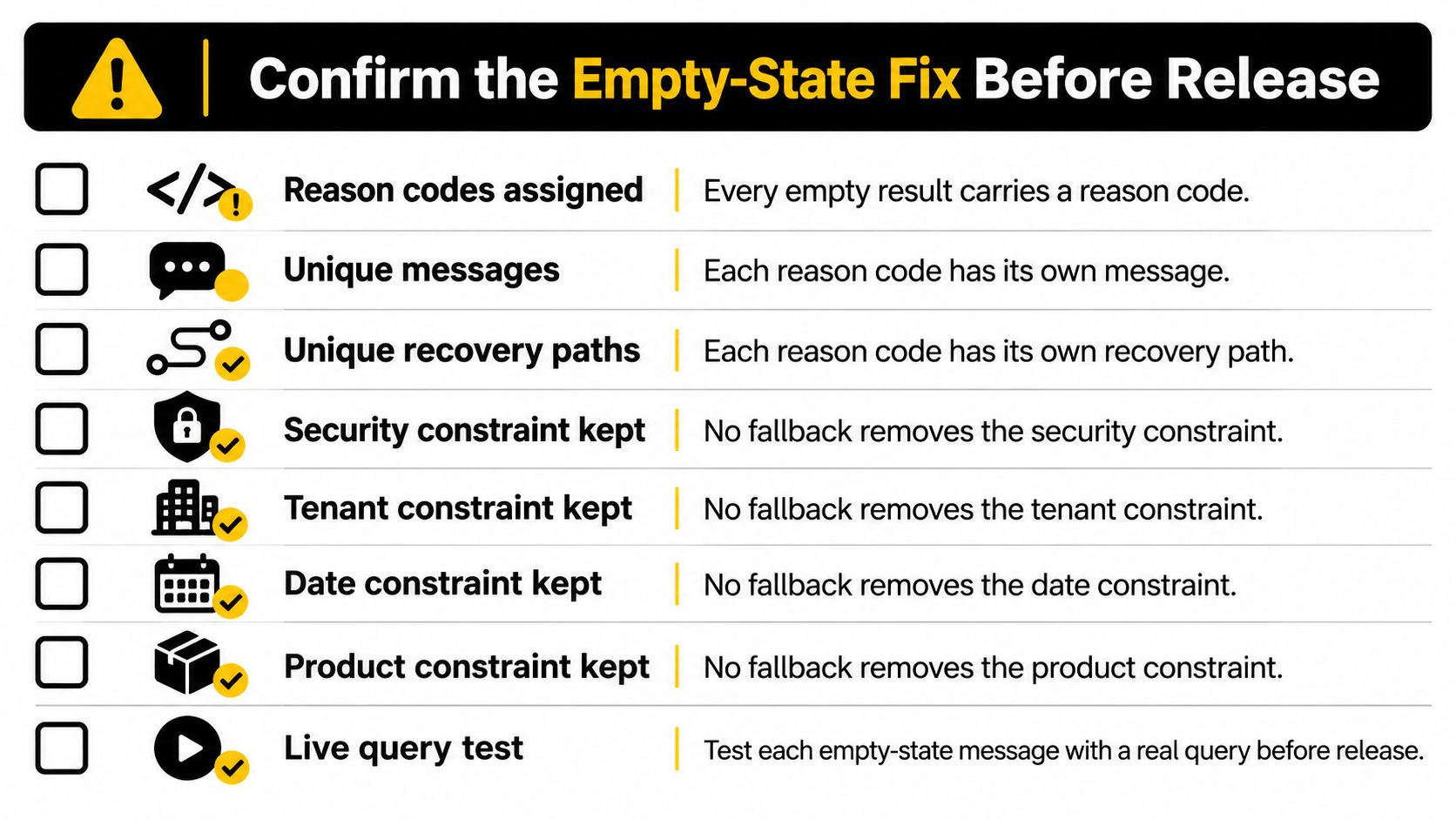
Confirm the Empty-State Fix Before Release
Use this pre-release checklist:
- Assign a reason code to every empty result.
- Write a distinct message for each reason code.
- Provide a matching recovery path for each message.
- Keep security, tenant, date, and product constraints unless a user chooses a disclosed change.
- Log each fallback, including the original query, reformulation type, result count, latency, model, provider, and whether the user succeeded.
- Set alerts for empty-result rates by endpoint and release.
- Set an LLM retry budget and failover order, and use idempotency keys for tool calls.
- Replay the most frequent zero-result queries from recent traffic and confirm that each produces the intended message.
If model calls already route through Openbase, its usage dashboard records the model, provider, input and output tokens, latency, time to first token, and cost per call. Per-key limits can keep staging traffic separate from production.
Ship the diagnosis log first, then the cause-specific messages, then the fallbacks. That order gives you evidence to verify that each change solves the right problem.
Openbase provides a unified API gateway for accessing models across multiple providers, with automatic failover and per-request logging for model, provider, tokens, latency, and cost. If you're building LLM features and need to distinguish an empty answer from a failed request, visit Openbase to explore the API and observability tools.