
A team checks the cost of one prompt, multiplies it by expected traffic, and still gets surprised by the monthly invoice. The arithmetic wasn't wrong. The assumption was incomplete. Output length, reasoning tokens, repeated conversation history, retrieved documents, cache behavior, retries, and tokenizer differences can all separate a neat per-request estimate from the amount a provider bills.
That's why choosing a token cost calculator isn't mainly about finding the tool with the biggest model catalog. A quick prompt check needs a different instrument from a monthly forecast, a historical pricing audit, or a self-hosting break-even analysis. The best calculator depends on which variable is most likely to distort your workload.
The tools below are grouped by the job they do, with particular attention to where their estimates can diverge from billed counts.
Table of Contents
- 1. Calculate Token
- 2. Hysen Labs LLM Cost Calculator
- 3. PricePerToken.ai
- 4. TokenPricing.dev
- 5. figured.fyi LLM Token Calculator
- 6. LLM Gateway Airside
- 7. TokenRateCalc
- 8. Tokenstead Calculator
- 9. Tokenulator.dev
- 10. Openbase
- Top 10 Token Cost Calculators, Features & Pricing
- Turn Estimates Into a Spend Plan You Can Trust
1. Calculate Token
Calculate Token is built for the first question most engineers ask: “What would this exact text cost on several models?” Paste a prompt once, compare supported GPT, Claude, and Gemini models side by side, and inspect the resulting token and price estimates without sending the text to a remote service.
Its strongest feature is the distinction between exact and estimated counts. OpenAI token counts use a local tokenizer in the browser. Providers without a public tokenizer receive clearly labeled estimates instead of a false impression of precision. That's the right behavior, because tokenization varies by model, language, code, punctuation, and formatting. A four-character rule of thumb isn't universal, particularly for multilingual or code-heavy workloads.
Where it earns a place
The interface is fast, private, and practical for a one-off model comparison. Context-window indicators help answer a separate operational question, whether the combined prompt and expected completion can fit. Input and output pricing toggles also prevent the common mistake of applying one blended rate to both sides of the request.
You can optionally save, share, or export calculations with a free account. That's useful when an engineer needs to hand a prompt comparison to procurement or a product manager without rebuilding it.
Practical rule: Use Calculate Token for prompt-level decisions, then replace estimates with provider-reported usage before approving a production budget.
The main limitation is coverage. Its model catalog is smaller than broad pricing aggregators, and non-OpenAI counts can differ from the provider's billed tokenizer. It's a strong private sanity check, not a usage ledger.
2. Hysen Labs LLM Cost Calculator
A cheap-looking request stops looking cheap once the prompt includes a long document, a retrieval payload, and enough expected output to cross a pricing tier. That is the job Hysen Labs LLM Cost Calculator handles well. It is built for checks where context limits and stepped pricing can change the result, not just for a quick token estimate.
The practical value is in the workload model. Hysen Labs applies long-context and tiered pricing rules where they matter, including stepped behavior for supported models, and it shows whether the combined prompt and expected completion fit inside the selected context window. That saves a common mistake in early sizing: accepting a low estimate for a request shape the model cannot run.
Best use case
I use it for document processing, RAG flows, and prompt chains that may trip a higher price band. In those systems, retrieved context can dominate the request even when the visible instruction is short. That is exactly where billed usage often diverges from a back-of-the-envelope count, especially if the provider does not publish the tokenizer used in production.
Its browser-only design also fits sensitive work. If the prompt includes internal documents or customer material, keeping the text local is often the safer default, subject to the tool's implementation and the browser environment.
When the architecture review also needs a model shortlist, compare options in Openbase's model catalog first, then return to Hysen Labs to test context fit and pricing thresholds on the actual request shape.
The limitation is straightforward. Catalog breadth is narrower than broad comparison tools, and non-OpenAI counts are still estimates. Treat it as a calculator for long-context decisions and threshold checks, not as the final record of spend per call.
3. PricePerToken.ai
PricePerToken.ai is designed for the broad scan. Its interface reports 200+ models, giving teams a fast way to compare list rates and approximate token costs across a large selection without building a spreadsheet first.
The workflow is simple. Paste text, let the browser perform local tokenization, and review the model-by-model result. That local processing is a practical privacy advantage for prompts that shouldn't leave the machine. The tool also discloses when a provider lacks a public tokenizer and the count is approximated.
Broad coverage, limited workload modeling
That transparency is important. A broad catalog can create a misleading sense of comparability if every model appears to have equally precise token counts. Provider tokenizers differ, and price rules may include details that a general comparison interface doesn't fully reproduce. A result is therefore best treated as a shortlist, not an invoice forecast.
The tool is particularly useful during procurement or model selection. You can quickly identify candidates whose nominal input and output rates deserve a deeper test, then measure those candidates with production-like prompts. It's less suited to experimenting with retry rates, conversation history, cache hits, or agent loops.
Openbase users can pair the scan with the Openbase billing documentation before deciding how to normalize usage across providers. The key is to compare the same input and output assumptions, rather than ranking models by input price alone.
A wide model list helps you find candidates. It doesn't make approximate token counts exact.
PricePerToken.ai's strength is breadth and speed. Its weakness is depth. For a single prompt, that's a fair trade. For monthly finance planning, you'll need another layer that represents workload behavior.
4. TokenPricing.dev
TokenPricing.dev moves beyond static prompt pricing by exposing the variables that teams can change. Its browser-based calculator covers 40+ models and includes controls for output length, request volume, and prompt-caching assumptions.
That makes it a useful laboratory for caching and batching experiments. Keep the prompt fixed, change the expected completion length, and observe how the total moves. Then alter the number of requests or the cached-input ratio to test whether repeated instructions and reference material could reduce spend.
Useful for scenario experiments
The calculator also groups models by practical goals such as flagship, balanced, fast, and reasoning. Those labels don't replace evaluation, but they help a team narrow a model shortlist before running quality and latency tests. The per-request and batched totals are more useful than a single unit price when discussing a real feature.
Caching deserves careful treatment. Cache-hit rates can range from below 20% to above 80% depending on whether the workload contains mostly unique documents or repeated instructions, as described in this analysis of production token estimation. A slider can show sensitivity, but it can't know your actual prefix stability or provider cache rules.
The same caution applies to reasoning tokens. The calculator's reasoning treatment is heuristic, so a visible completion may understate billed output on reasoning-capable systems. Use the result to compare scenarios, not to promise a precise invoice.
For teams already collecting model prices centrally, Openbase pricing provides a useful reference point for checking published per-million input and output rates before entering assumptions.
TokenPricing.dev works best when the question is, “Which operational lever changes the forecast?” It's less reliable when the question is, “What exact amount will this provider charge for this call?”
5. figured.fyi LLM Token Calculator
A common early budgeting mistake looks like this. Someone pastes a prompt into a chatbot, sees a short reply, and assumes the cost will stay small at production volume. figured.fyi's LLM Token Calculator is useful precisely because it slows that assumption down and shows the basic math in plain English.
This tool fits the one-off request check. It helps a product manager separate input from output, gives finance a readable way to compare a long document workflow with a short chat exchange, and gives engineers a fast sanity check before they open a more detailed estimator. For onboarding, that job matters.
Where simple is the right choice
figured.fyi is also good at explaining context limits without turning the page into a pricing table. In its worked examples, a 4,000-token context window holds roughly 3,000 words of combined input and output. Treat that as an illustration, not a universal conversion. The practical point is what teams often miss. Every generated token uses room inside the same window, so an aggressive completion budget can crowd out prompt history or retrieved context.
That clarity comes with trade-offs. The calculator does not try to model cache-hit rates, provider-specific pricing tiers, retries, tool-call loops, batching, or negotiated volume discounts. It also cannot reconcile estimate versus bill for providers that do not expose a public tokenizer or that count hidden reasoning and system tokens differently. In practice, that is where simple calculators and invoices start to diverge.
Use figured.fyi to teach the mechanics and to pressure-test a single request assumption. Once the estimate is attached to launch approval, switch to tokenizer-aware testing and your own request logs.
6. LLM Gateway Airside
The LLM Gateway Airside resources hub includes a browser calculator for teams that need to connect per-request cost with monthly spend and throughput planning. Instead of relying only on pasted text, you supply request volume and your own input, output, and cached-input assumptions.
That's a sensible design for providers and integrators. A production estimate starts with workload shape, not just a prompt. If each request includes a repeated system instruction, conversation history, retrieved context, and a generated answer, the calculator needs separate fields or the forecast will hide the cost drivers inside one average.
Budget and capacity belong together
Airside's companion rate-limit and concurrency calculator adds a second planning dimension. A budget can look acceptable while the service still fails under bursts because concurrency, quotas, or provider limits weren't modeled. Cost and capacity aren't identical, but teams often discover them together during launch planning.
The trade-off is that the tool assumes you'll enter accurate model prices. It doesn't solve tokenizer differences for providers without public tokenizers, and it isn't a provider-of-record usage report. It also lives in a resources hub rather than presenting as a fully branded standalone product, which can make it less obvious to share internally.
A practical workflow is to use it with low, base, and high workload assumptions. That matters because output length and agent loops vary, and a single average can conceal expensive tail behavior. For agentic systems, one analysis reports 10 to 20 model calls for a single user objective and estimates 5 to 30 times more tokens per task than conventional chatbots. Treat those figures as scenario inputs from the agent inference cost analysis, not as universal behavior.
7. TokenRateCalc
TokenRateCalc is aimed squarely at monthly forecasting. It lets you describe a workload using words, tokens, or chat messages, then adjust content type, system prompt size, conversation turns, history, and daily volume.
That makes it more representative of an application than a pasted prompt alone. A support assistant, document summarizer, and batch classifier don't create the same token distribution even if they serve the same number of users. The controls encourage you to model those differences explicitly.
Strong for budget conversations
The comparison output includes per-request and monthly costs, and the currency selector can use refreshable foreign-exchange rates. That's helpful when engineering estimates in one currency and finance reports in another. It also makes scenario planning easier for teams that need to explain how a change in conversation history affects the total.
The tool's price data is manually reviewed, so it may lag a provider's live price changes. That's an important distinction from a live billing feed. A forecast can be internally consistent and still use an outdated rate if the model catalog changed after the last review.
TokenRateCalc also excludes non-token add-ons such as tools, search, or grounding by design. Don't treat the final figure as a complete invoice for a workload that invokes those services. Add those charges separately, or use a platform that exposes a fuller per-request record.
This is one of the better choices for a planning meeting because it makes hidden prompt components visible. It's not the right last step before committing a large budget. Validate the selected rates against the provider's current price list and compare the assumptions with logs from a representative traffic sample.
8. Tokenstead Calculator
Tokenstead Calculator adds a decision that most prompt calculators ignore: whether self-hosting could make economic sense. It offers per-request and monthly modes, checks context-window viability, and includes a local-hardware break-even view.
That makes it relevant when API spend is no longer the only option. A team operating a predictable workload may compare provider charges with GPU, capacity, maintenance, utilization, and engineering costs. The calculator helps frame that comparison, but it shouldn't be allowed to settle it by itself.
Break-even needs real workload data
Self-hosting economics depend on more than a nominal token rate. You need sustained throughput under your actual concurrency, context length, batching, model precision, idle time, and reliability requirements. A GPU-hour figure without measured production tokens per second prices hardware, not delivered output.
Tokenstead's OpenAI counts are exact where its tokenizer applies, while Claude and other non-OpenAI counts are approximations. Its hardware break-even guidance is therefore best treated as directional. It can tell you when to investigate self-hosting, not prove that a purchase or rental will be cheaper.
The context-window check is valuable because a model that can't fit the prompt and completion isn't a viable candidate regardless of its listed rate. The input and output sliders also make it easy to test whether a seemingly modest increase in generated length changes the decision.
Use Tokenstead when the strategic question is API versus infrastructure. Bring your own measured request distribution and infrastructure quote to the final analysis. Otherwise, the break-even result can look precise while leaving out the costs that decide the outcome.
9. Tokenulator.dev
Tokenulator.dev is the power-user choice for historical pricing, procurement, and audits. Its interface surfaces 100+ models and lets you inspect archived prices by date and source, alongside standardized per-million input and output comparisons.
That historical view solves a problem that current calculators often miss. A budget review may ask why an old estimate no longer matches today's model cost. The answer could be a provider price change, a model replacement, a different input/output split, or a historical estimate that used the wrong rate. Without preserving the price snapshot used at the time, reconciliation becomes guesswork.
Useful evidence for finance
Tokenulator.dev is also useful when procurement compares models over time. You can show stakeholders that a quoted result reflects the rate available on a specific date instead of presenting today's price as if it applied to an earlier invoice. Historical snapshots support repeatable analysis, provided the captured source and rate are accurate.
The downside is density. Casual users may find the interface heavier than a paste-and-price calculator, and the historical data is only as trustworthy as its source capture. It also doesn't turn historical list prices into actual usage. You still need request-level counts, cache treatment, reasoning-token handling, and any provider-specific adjustments.
Audit rule: Save the model identifier, input rate, output rate, date, tokenizer method, and workload assumptions with every forecast.
Tokenulator.dev is therefore a strong supporting tool for longitudinal analysis, not a replacement for provider billing exports. It answers, “What price did we use and why?” It doesn't necessarily answer, “What did this exact request cost after every operational adjustment?”
10. Openbase
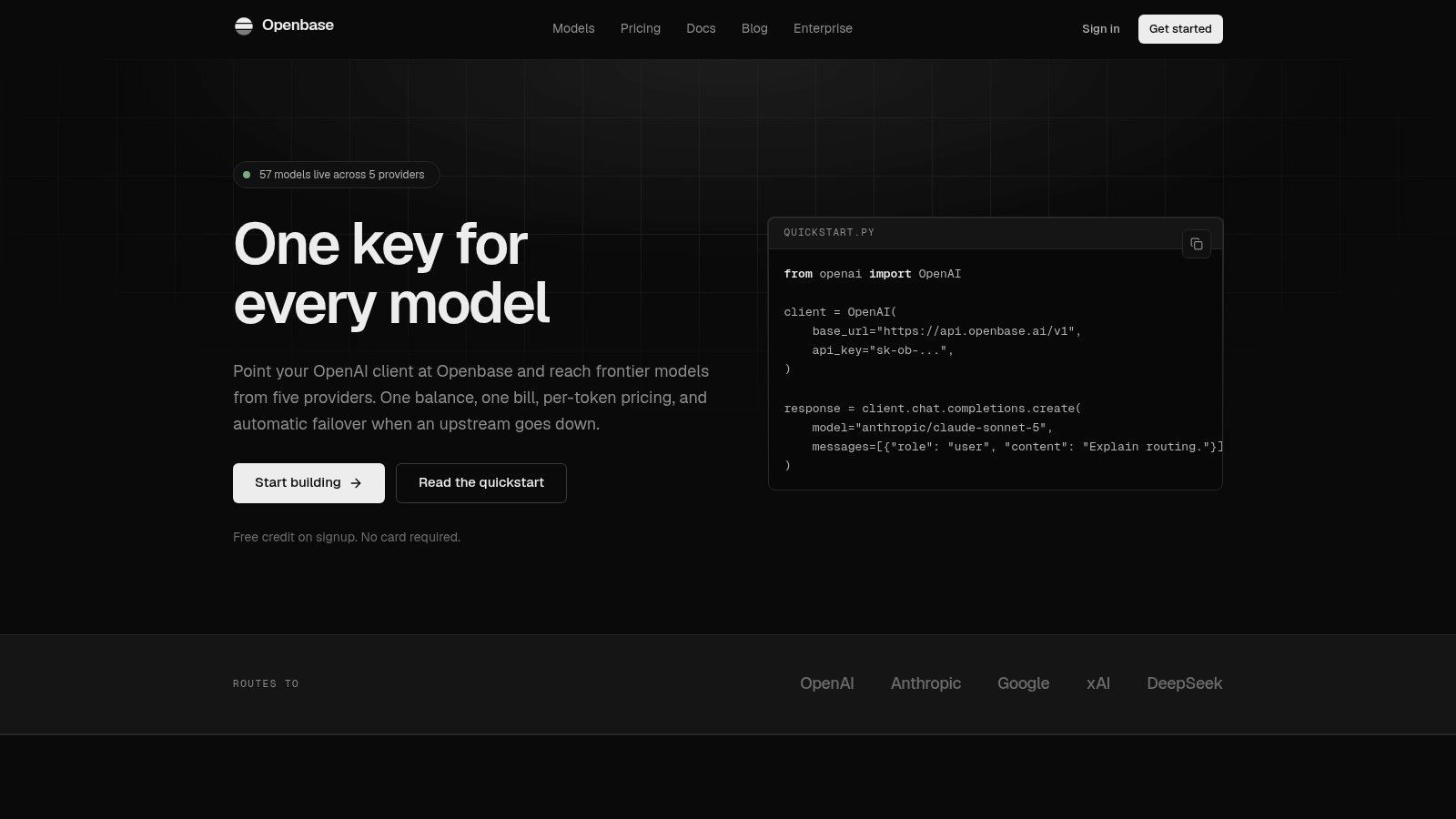
A common pricing failure happens after launch. The calculator said one thing, the invoice says another, and nobody can explain which request created the gap. Openbase addresses that job from a different angle than a paste-and-price tool. It works as a unified API gateway that keeps the OpenAI Chat Completions interface while routing calls to multiple model providers through provider-prefixed model slugs, so teams can switch the base URL and key without rebuilding the client.
The useful part is per-request metering. Openbase records the model, upstream provider, input and output tokens, latency, time to first token, and the cost attached to that call. That makes it more relevant for reconciliation than for one-off checks. If you need to answer, “What did this exact request cost?” a gateway log is usually more useful than a standalone estimate.
Built for reconciliation, not just estimation
Openbase publishes model pricing in its catalog and applies those rates to request records, including reasoning-token treatment where the model requires it, as shown in the Openbase model catalog. That matters because billed usage can diverge from a simple visible prompt plus visible answer count. Reasoning-capable models, provider-specific tokenization, and upstream billing rules can all move the final number away from what a browser calculator predicted.
It also combines access, billing, and observability in one place. One account, one key system, one prepaid balance, and one monthly invoice can simplify operations for teams that would otherwise split usage across several provider dashboards. Streaming and tool or function calling are supported, and the same request shape carries across providers. Automatic failover, retries for selected transient failures, pooled rate limits, per-key limits, daily rollups, and monthly invoicing are practical controls, not pricing features, but they affect whether a cost estimate survives contact with production traffic.
The trade-off is straightforward. A gateway adds another dependency and another network hop. Catalog pricing can also differ from direct-provider economics once you factor in credits, enterprise terms, or provider-side billing details. For providers without public tokenizers, estimates are still estimates. The right test is concrete: run a representative workload, inspect the per-request logs, and compare them against provider invoices before committing meaningful volume.
What works in practice
Openbase fits best as a production measurement layer for multi-provider systems. A calculator helps with one-off request checks, long-context scenarios, or monthly forecasts. Openbase helps reconcile actual spend per call after the request has run. That is a different job, and a useful one.
Operational insight: Use estimates to choose scenarios. Use request logs to verify whether the billed behavior matched them.
Engineering teams can keep existing curl, Python, or Node integrations while platform teams get centralized usage visibility. Finance gets a consolidated billing view instead of several provider portals. Product teams can test alternative models with less integration churn. The payoff is not perfect foresight. It is faster explanation when estimated token cost and billed token cost do not match.
Top 10 Token Cost Calculators, Features & Pricing
| Tool | ✨ Unique features | ★ Quality | 💰 Pricing / value | 👥 Target audience |
|---|---|---|---|---|
| Calculate Token | ✨ Side-by-side pricing, local OpenAI tokenizer, share/save (browser-only) | ★★★★☆ | 💰 Free (browser-only); estimates for non-OpenAI | 👥 Quick price-checks, privacy-conscious users |
| Hysen Labs LLM Cost Calculator | ✨ Exact o200k/cl100k tokenizers, stepped/long-context pricing flags | ★★★★☆ | 💰 Free (client-side); approximations for some vendors | 👥 Teams tracking long-context & tiered pricing |
| PricePerToken.ai | ✨ 200+ models, local tokenization, list-rate table | ★★★★☆ | 💰 Free; broad catalog for rapid scans | 👥 Researchers/engineers comparing many models |
| TokenPricing.dev | ✨ Sliders for output length/requests, prompt-caching simulation, presets | ★★★★☆ | 💰 Free; scenario knobs for spend experiments | 👥 Teams modeling caching/batching effects |
| figured.fyi LLM Token Calculator | ✨ Clear token-math, worked examples, onboarding focus | ★★★★☆ | 💰 Free; educational tool | 👥 Non-specialists, product managers, finance newbies |
| LLM Gateway (Airside), Calculator | ✨ Request + monthly spend estimator + rate-limit planner | ★★★☆☆ | 💰 Free (resource hub); assumes manual price inputs | 👥 Providers/integrators planning cost & throughput |
| TokenRateCalc | ✨ Workload-aware monthly forecasts, content multipliers, FX selector | ★★★★☆ | 💰 Free; verified list pricing (may lag) | 👥 Finance/procurement doing budget forecasting |
| Tokenstead Calculator | ✨ Per-request & monthly modes + local hardware break-even view | ★★★★☆ | 💰 Free; helpful for self-host vs API analysis | 👥 Teams weighing API vs on‑prem economics |
| Tokenulator.dev | ✨ Large catalog (100+), historical price explorer, archived rates | ★★★★☆ | 💰 Free; audit-friendly historical views | 👥 Procurement, auditors, long-term trackers |
| 🏆 Openbase | ✨ Unified OpenAI-compatible gateway, multi-provider failover, per-request observability, streaming & tool calls | ★★★★★ | 💰 Prepaid per-token (model-specific rates); free signup credit; consolidated billing/invoice | 👥 Engineering/platform/ML teams needing vendor redundancy, consolidated billing & observability |
Turn Estimates Into a Spend Plan You Can Trust
A token cost calculator is a model of your workload, not proof of the final invoice. The right workflow uses several tools in sequence, with each one answering a different question.
Start with a browser-based one-off check. Paste a representative prompt into Calculate Token, Hysen Labs, or PricePerToken.ai and compare candidate models. Confirm whether the tokenizer count is exact or estimated, whether the prompt and expected output fit the context window, and whether input and output rates are separate. Don't use a single generic price when rates vary by model and date. Historical comparisons show GPT-3 prompt pricing around $6 per million tokens, GPT-3.5 Turbo input pricing at $1.50 per million, GPT-4 Turbo prompt pricing at $10 per million, and GPT-4o pricing at $5 per million at the cited historical points in this pricing comparison.
Next, stress-test the monthly scenario. Change output length, request volume, conversation history, retrieved context, cache-hit assumptions, and retry behavior. A 1,000-token prompt at an illustrative $2.50 per million input tokens costs $0.0025 before output charges, while a 50,000-token prompt costs $0.125, according to the worked example in this context-window guide. At 100,000 calls, that example scales from $250 to $12,500, showing why long-context assumptions can overwhelm a neat per-request estimate. Keep that scenario separate from your own provider rates, because the example is illustrative.
Use low, base, and high cases. Agent loops, retries, generated length, and reasoning usage vary materially. If your application uses retrieval, count inserted documents rather than only the visible user message. If it uses caching, record the cache-hit behavior you observe instead of assuming every repeated prefix qualifies.
Then reconcile live traffic. Capture provider-reported input and output tokens, reasoning usage when exposed, model and provider identifiers, cache status where available, latency, and exact cost. Openbase is particularly relevant here because its per-request logs connect those fields to a unified invoice. That lets you find the divergence source instead of merely discovering that the monthly total is high.
Finally, preserve the assumptions behind each forecast. Save the model version, price snapshot, tokenizer method, expected input and output mix, cache assumption, retry rate, and date. Recheck the provider's current price list before committing budget, then compare the forecast with your own logged token counts once traffic is live. A calculator earns trust when it explains variance, not when it produces an impressively precise number.
Openbase gives engineering teams one OpenAI-compatible gateway for multiple model providers, with consolidated billing, failover, and per-request token and cost logs. Use those records to validate your token cost calculator assumptions against real production usage, then visit Openbase to evaluate the gateway for your next workload.